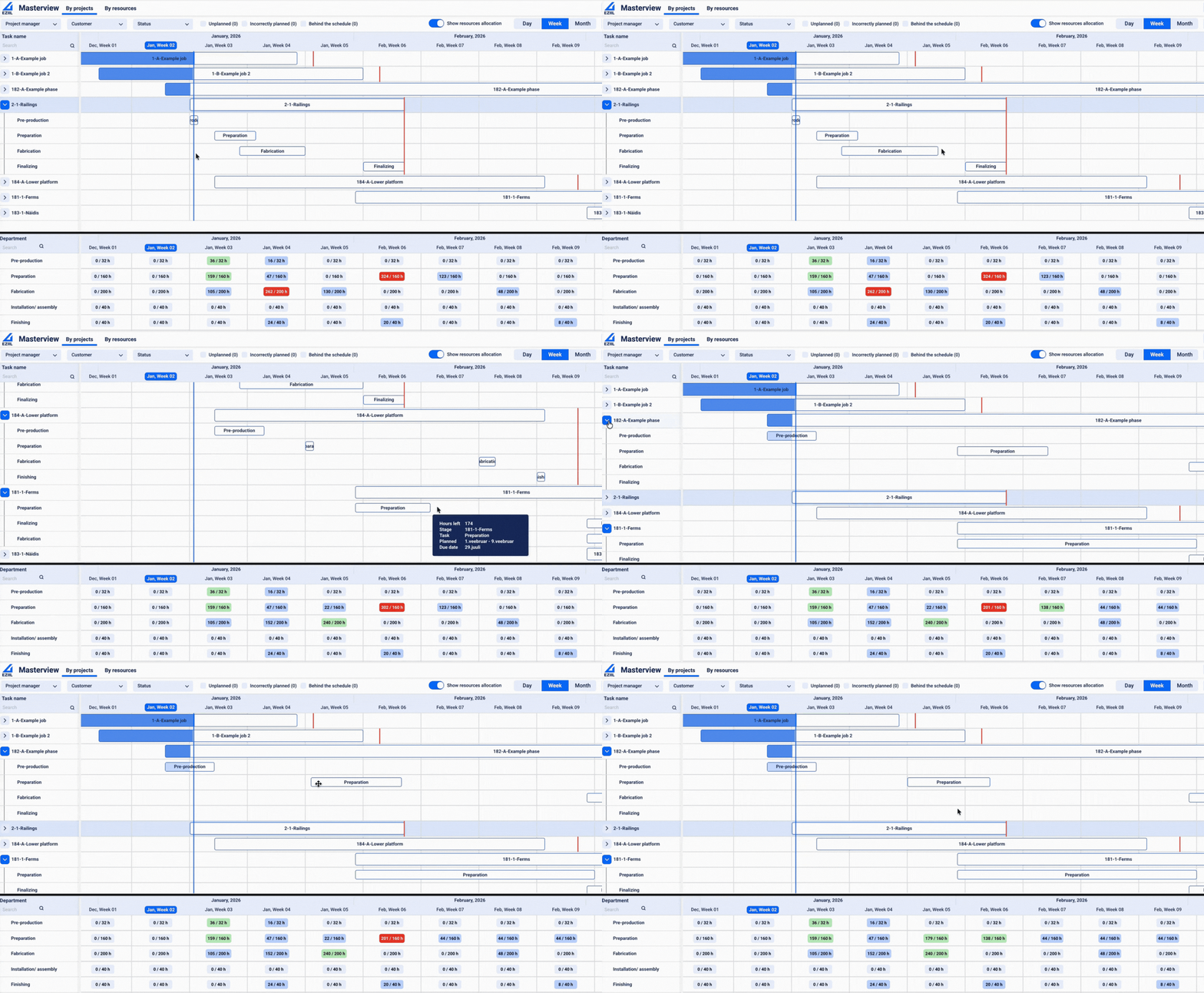
Master scheduling is the high-level process of turning demand into a time-phased production plan: what you intend to produce, in what quantities (or which jobs), and when.
In traditional manufacturing, it’s closely related to the Master Production Schedule (MPS), which defines the build schedule by items, dates, and quantities.
In a steel fabrication job shop, master scheduling usually looks a bit different than a factory making repeated SKUs.
Instead of “Item A, 200 units,” your master schedule is typically:
a rolling view of the next 4-12 weeks of jobs
key milestones per job (materials ready, fab complete, coating complete, ship)
rough capacity load by department (cut, brake, fit-up, weld, finish, assembly)
It’s the bridge between quoting promises and shop-floor reality.
Why master scheduling matters in steel fabrication? (especially HMLV and MTO)
Master scheduling prevents the classic job shop trap: you accept work faster than you can finish it, then you spend every week expediting.
When done well, master scheduling helps you:
protect on-time delivery by making capacity limits visible early
reduce schedule thrash (fewer last-minute priority changes)
improve coordination across departments (everyone works off the same plan)
give purchasing a real forecast (materials and subcontracting planned, not reactive)
set realistic customer updates (based on progress, not hope)
Best practices for for a shop-friendly master schedule
1) Use weekly buckets and keep detail light The master schedule is not the place for hour-by-hour sequences. Think “week of Feb 24: finish these jobs, start these jobs.”
2) Plan around constraints first Identify the bottleneck areas (often welding, finishing, or a specialty machine). Load those first, then align upstream work to feed them and downstream work to absorb them.
3) Add “time fences” Time fencing is a fancy way of saying: set a stability window.
Example: the next 3 days are mostly frozen unless a true emergency hits This stops the shop from whiplash planning.
4) Release rules: don’t flood the floor Only release work when:
drawings are approved
material dates are confirmed (or material is on hand)
the next work center has capacity This reduces WIP and shortens lead time.
5) Use milestone-based scheduling For each job, define 3-5 milestones that matter:
material ready
cut/form complete
weld complete
finish complete
ship Milestones are easier to manage than dozens of micro tasks, and they keep departments aligned.
6) Set a weekly cadence A simple rhythm:
Weekly planning meeting (45-60 min): lock the next week’s plan, adjust the next 4-8 weeks
Daily 10-minute check: what’s blocked, what must move today
How EZIIL supports master scheduling
Master scheduling only works if it’s anchored in shared visibility.
EZIIL helps by:
centralizing active jobs, due dates, and owners so the master plan is not scattered across spreadsheets and conversations
making “what’s behind” and “what’s unplanned” visible quickly, which improves weekly planning decisions
capturing plan vs actual performance so your master schedule gets more realistic over time (you stop repeatedly underestimating the same job types)
A typical use case: your master schedule shows finishing overload in two weeks. With better visibility and ownership, you can respond early by shifting jobs, splitting batches, or setting customer expectations before it becomes a late-delivery pileup.