
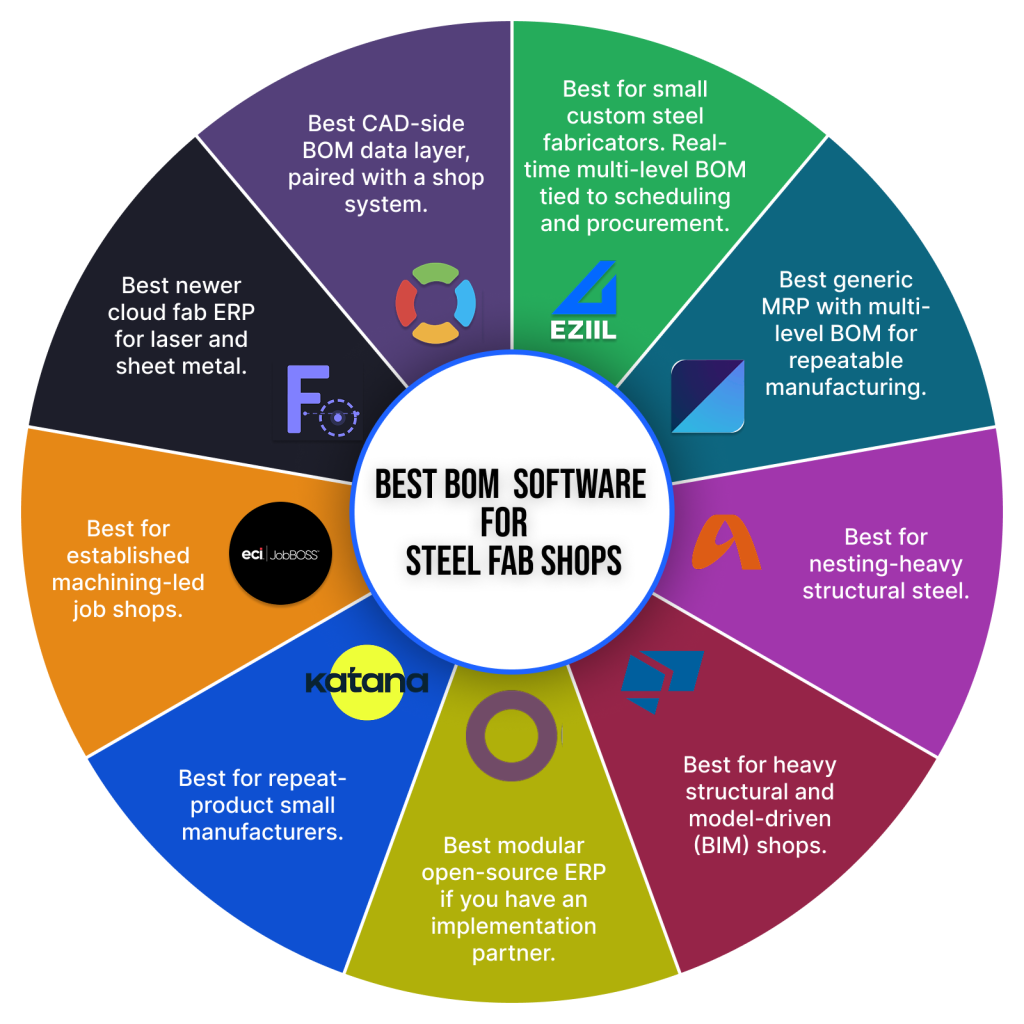
Below is a ranked, honest shortlist of the best BOM management software for small fab shops in 2026, written for project-based custom steel and metal fabricators, not generic factories.
We ranked on six criteria that matter on a real fab floor: real-time BOM tracking, material control, CAD import, shop-floor visibility, transparent pricing, and how fast you can actually go live. Here is the shortlist, a side-by-side comparison table, and a recommendation by shop size and type.
How we evaluated: the 6 things BOM software has to do in a small fab shop
A BOM tool is only useful if it survives contact with a busy shop running ten jobs at once. These are the six capabilities we weighted most heavily, drawn from how fabricators actually work day to day.
1. Real-time, multi-level BOM. A change to a quantity or a drawing revision should update scheduling and purchasing the moment it happens, not at the next weekly export. Most small shops still run this on spreadsheets. Research published by Qlector in 2025 found that half of manufacturers still rely on Excel or paper alongside their main system for planning, and estimated the hidden cost of that inefficiency at 5 to 10 percent of annual revenue.
2. Material reservation and over/short control. You should be able to reserve stock against a job and get an exception flag when the BOM lands. Bought 100 feet of 2×2 angle, need 75, here is your over or short position. This is where margin very often leaks.
3. CAD and model import. Your BOM should flow in from Tekla, Inventor, Advance Steel, or SolidWorks without anyone rekeying it. Manual re-entry is not just slow, it is expensive. Documented cases collected by CADTalk include a 45,000 dollar rework bill after 200 units were built to an obsolete spec, and a 23,000 dollar overspend when a decimal error ordered 15mm plate instead of 1.5mm.
4. Shop-floor visibility. Welders and fitters need the right BOM line and the current drawing at the station, ideally on a tablet or phone, without chasing printed paper across the floor.
5. Transparent pricing. A small shop should be able to see the monthly cost before booking five sales calls. Quote-only pricing with no public number is a friction point at this size.
6. Fast time to value. You need to keep producing during rollout. The benchmark, per Panorama Consulting, is that full ERP implementations average 3 to 9 months for small and midsize firms. A focused BOM tool should beat that comfortably, and you should expect measurable return inside the first year.
best BOM management software for small fab shops in 2026 (ranked)
Here is the final ranked shortlist. We have been honest about where each tool wins and where it does not.
1. EZIIL: best overall for small custom steel and metal fab leaving Excel
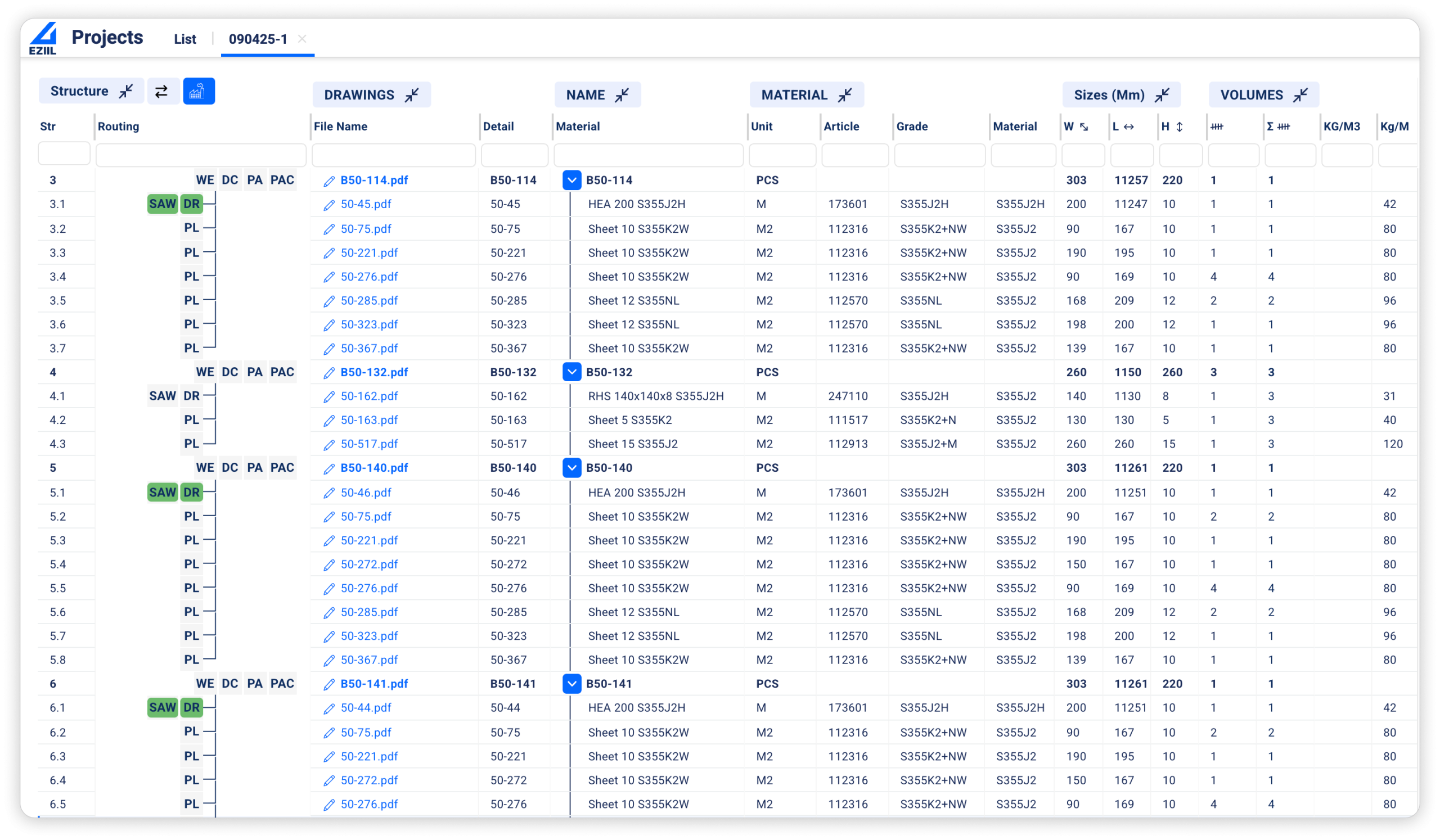
Best for: project-based custom steel and metal shops (15 to 150 employees). EZIIL is a custom steel fabrication-specific platform, not a generic factory tool. EZIIL’s BOM is real-time and multi-level, and it lives in the same system as scheduling and procurement, so a quantity change in the BOM updates the schedule and raises a purchasing exception on the same screen. BOM data imports from your CAD or model, drawings link to BOM lines, and welders pull the current revision at the station on a tablet. It is modular: you start with the Starter base (scheduling, shop floor, mobile reporting, profit tracking) and add the BOM module when you are ready, instead of buying a full ERP on day one.
Proof: the BOM payback is the part steel fabricators talk about. Nordic Shelter‘s engineer lead reports that one hour invested in EZIIL’s BOM saves eight hours in procurement and sixteen in production, a 24 times return. Kane Metall set up a BOM-driven drawing management and job-order system in about a week.
UK fabricator FLI Structures (EN 1090 Execution Class 4, around 100 concurrent projects) moved off a mega-spreadsheet to a single centralised BOM with built-in revision control, which removed its material bottleneck and ended job-by-job rush ordering. VMT Tehased put every project on the same BOM and reports a 40 percent gain in engineer productivity with less rework.
EZIIL is the best BOM management software for you if you run one-off or low-batch custom fabrication, you are moving off Excel or an ill-fitting tool, and you want to keep your existing accounting and CAD.
EZIIL is NOT the best BOM management software for you if you are a sub-5-person shop where a spreadsheet is genuinely fine, a repeat-product manufacturer, or you need automated quoting (CPQ) or 3D modeling. EZIIL does not do those. Learn more on the EZIIL features page or the BOM management guide.
2. MRPeasy: best low-cost generic MRP with multi-level BOM
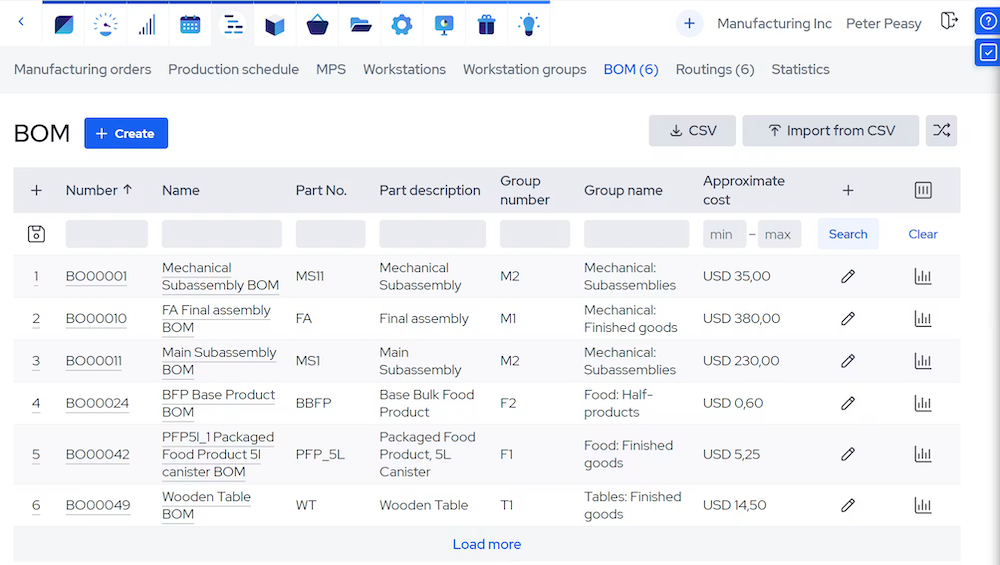
Best for: budget-conscious manufacturers in the 10 to 50 person range. MRPeasy is cloud MRP with multi-level BOMs, purchasing, and inventory at an accessible per-user price.
The limitation for custom steel fabricators: it is built around standard, repeatable manufacturing and stock products, so the project-by-project, engineer-to-order rhythm of a custom steel shop fits awkwardly. See our MRPeasy alternatives comparison for the custom steel fab-specific comparison.
3. STRUMIS: best for nesting-heavy structural steel
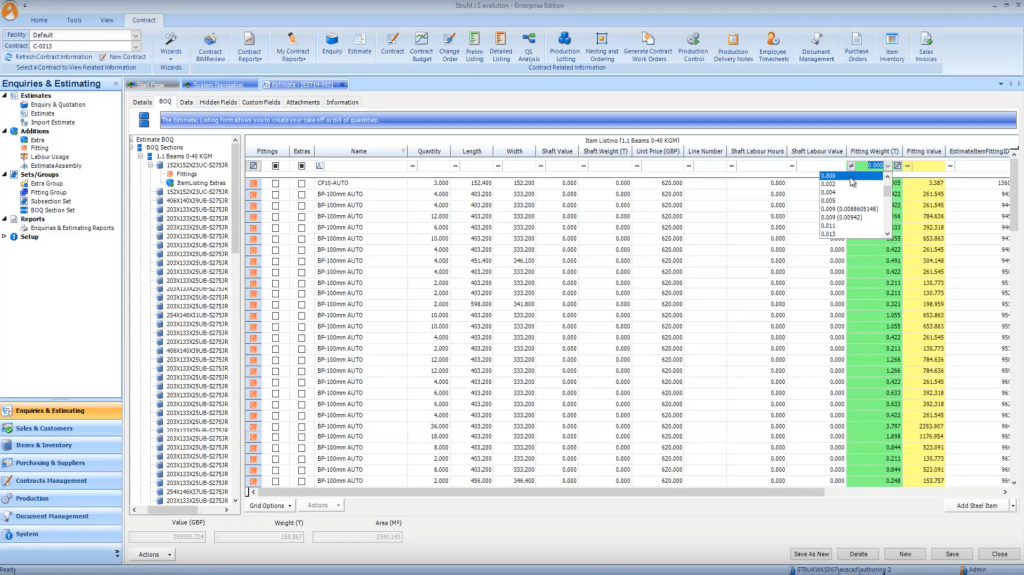
Best for: structural steel fabricators where nesting and material utilization drive the day. STRUMIS offers deep nesting, traceability, and real-time BOM tracking.
The trade-off is weight: for a 15 to 40 person misc-metals shop it is often more system than the work requires. See the STRUMIS vs EZIIL comparison.
4. Tekla PowerFab/Trimble FabShop: best for heavy structural and model-driven shops
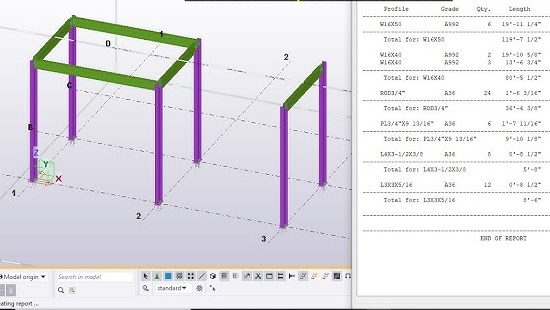
Best for: larger structural fabricators living in the Tekla and BIM ecosystem. Deep model-based BOMs, mature traceability, and the reference standard for heavy structural tonnage. For smaller, more flexible shops the cost and implementation are usually overkill.
5. Odoo: best modular open ERP (if you have a partner)
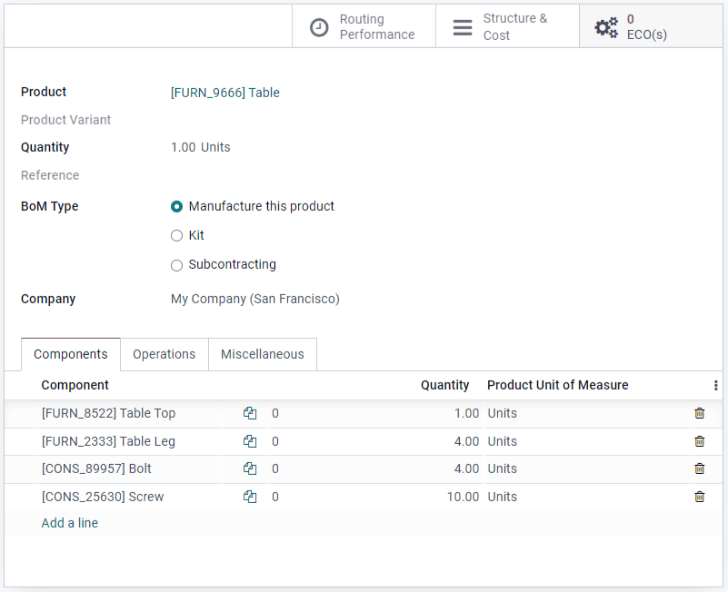
Best for: shops that want a flexible, low per-module ERP and have implementation help on hand. Odoo is genuinely capable and inexpensive per app, with manufacturing BOM modules.
The tradeoff: it is general-purpose, configuration-heavy, and does not understand steel fabrication out of the box.
6. Katana: best for repeat-product small manufacturers
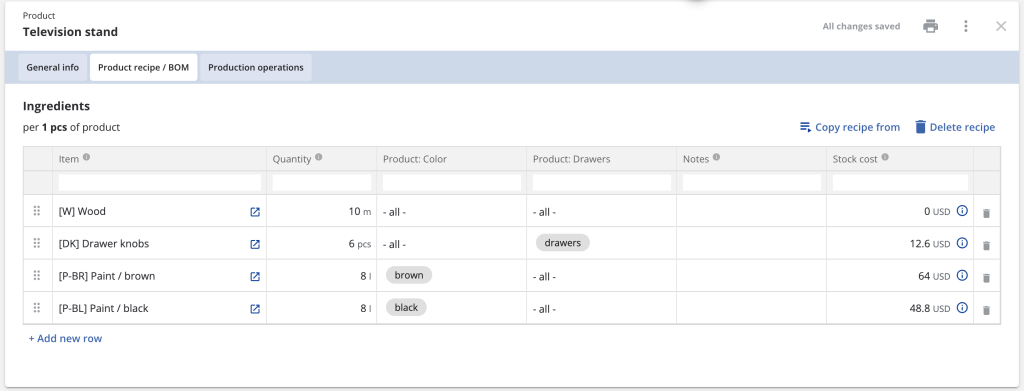
Best for: makers of repeat products who need a clean interface and strong real-time inventory tied to BOMs. Less suited to one-off project fabrication, where every job is its own build rather than a recurring product.
7. JobBOSS (ECI): best for established machining-led job shops
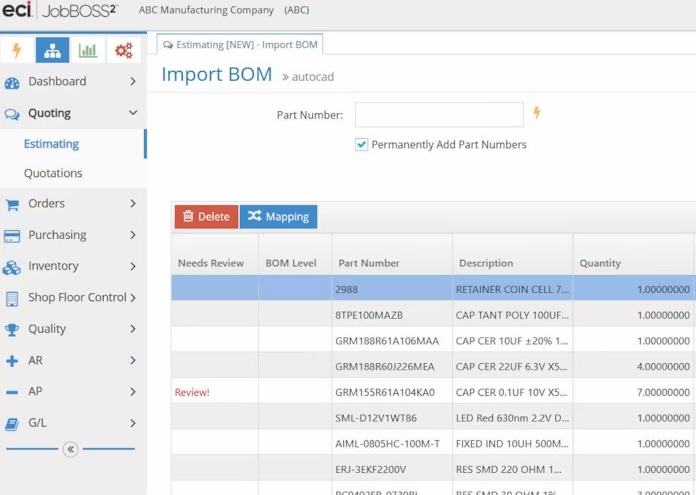
Best for: established job shops, especially machining-led ones, that want mature BOM, quoting, and scheduling in one ERP. Capable but heavier, with a more dated experience, and oriented to a different shop profile than custom steel fab. See the Jobboss vs EZIIL comparison.
8. FabOps: best newer cloud fab ERP for laser and sheet
Best for: laser and sheet-metal shops that want DXF and STEP quoting, BOMs, scheduling, and quality tracking in a modern cloud tool. A younger product at a higher price point, but worth a look for that specific workflow.
9. OpenBOM: best CAD-side BOM data layer (not a shop system)
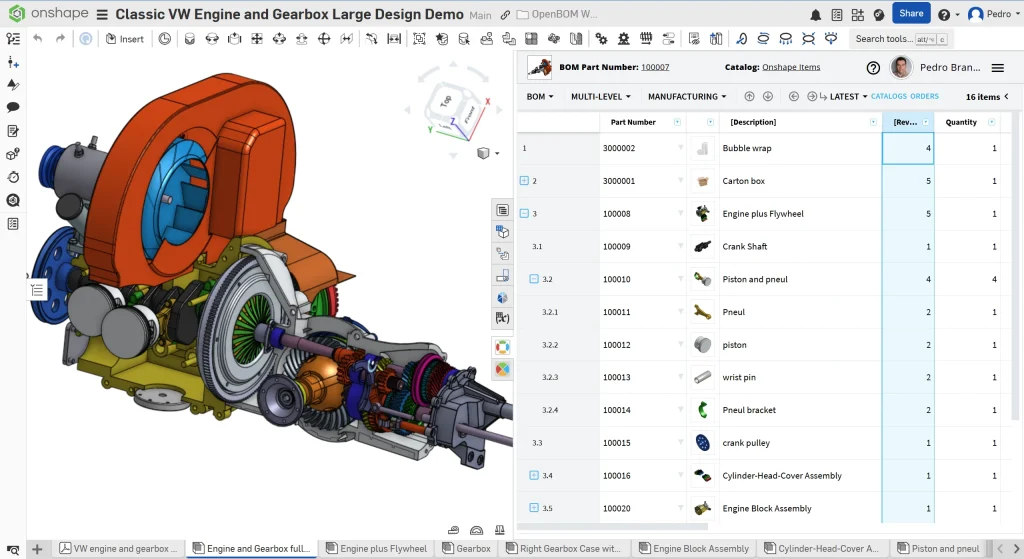
Best for: engineering-led shops that want affordable CAD-to-BOM data management next to their design tools. Useful, but it manages BOM data, it does not run your shop floor, scheduling, or procurement, so most fabricators pair it with something else.
Best BOM Management software comparison table
Here’s a scannable side-by-side of the main options. Please note: Pricing points are general, because pricing changes often and several vendors publish quote-only pricing.
| Tool | Best for | Real-time BOM | CAD/model import | Steel fabrication specific | Entry pricing |
| EZIIL | Small custom steel & metal fab off Excel | Yes | Yes | Yes (steel) | EUR 120 / USD 140 per mo, BOM add-on |
| MRPeasy | Budget generic MRP | Yes | Limited | No | Per-user monthly |
| STRUMIS | Nesting-heavy structural steel | Yes | Yes (model) | Yes (steel) | Quote only |
| Tekla PowerFab | Heavy structural & BIM shops | Yes | Yes (Tekla) | Yes (steel) | Quote only |
| Odoo | Modular open ERP (needs a partner) | Yes | Via apps | No | Per-app, low |
| Katana | Repeat-product small manufacturers | Yes | Limited | No | Tiered monthly |
| OpenBOM | CAD-side BOM data layer | Yes | Yes | No | Free tier + paid |
How to choose by shop size and type
The right answer depends less on features and more on your size and the kind of work you run. Here is the honest buyers guide by shop size.
1 to 5 people: a good spreadsheet plus a CAD-side BOM tool such as OpenBOM, or your Tekla or Inventor export, is genuinely fine. You do not need a platform yet, and anyone who tells you otherwise is selling.
6 to 15 people: this is the inflection point. Excel starts costing you real time and real material, usually around the moment you are running several jobs in parallel. A lightweight, fab-specific tool, like EZIIL, is the right move here.
15 to 150 people, project-based custom steel or metal: Excel is now a margin problem, not an inconvenience. A fabrication-specific modular platform, like EZIIL, is the lowest-risk path, because it fits how custom one-off work actually flows.
By type: structural and nesting-heavy work points to STRUMIS or Tekla. Repeat-product manufacturing points to Katana or MRPeasy. One-off and low-batch custom project fabrication points to EZIIL. Pure CAD-side BOM data management points to OpenBOM. Match the tool to your work, not to the loudest brand.
The 4 fears that stall a BOM software decision (and how to get past them)
Choosing the best BOM management software is the easy part. Getting the decision made is where most shops stall. These are the four fears we hear most, and the honest way through each.
1. Implementation will halt my production for months
Full ERP implementations usually take 3 to 9 months for small and midsize firms, though most organizations see measurable return inside the first year. The way to de-risk it is to not buy a full ERP at all. With a modular tool you can start narrow, prove it, then expand. FLI Structures rolled out EZIIL step by step, starting with works orders and BOM before layering on purchasing and operations, which kept production running throughout. EZIIL allocates a dedicated onboarding expert to every new client with a one-off onboarding fee of EUR 300 / USD 350 that covers setup, training, and regular check-ins, and you add modules at your own pace.
2. My team will not adopt it
Adoption fails when software adds work for the people on the shop floor. The fix is a mobile and tablet interface that operators actually use, and pricing that does not punish you for giving everyone access. EZIIL’s shop-floor app lets operators log time and update status from a phone, and VMT Tehased describes the result simply: everyone is now on the same page, which cut delays and rework. Enefit Solutions reported deleting 12 separate Excels that staff used to update every day.
3. It will lock me into one vendor for my whole stack
You do not have to replace everything. The strongest position for a small custom steel fabrication shop is a bolt-on BOM and execution layer that connects to what you already run. Keep your accounting, keep your CAD, keep your nesting. For example, FLI Structures kept its design models and simply pointed the existing export at EZIIL, renaming a few fields. The BOM becomes the connective layer, not a cage.
4. It will cost more than it saves
This is easily mitigated with a clear price and a clear lever. EZIIL Starter sets you back EUR 120 / USD 140 per month for 1 to 15 users, EUR 180 / USD 210 for 16 to 50 users, and EUR 290 / USD 338 for 51 to 150 users, plus the one-off EUR 300 / USD 350 onboarding fee, with 20 percent off annual billing. BOM is an add-on module on top of that base. The lever is material and rework. APQC benchmarking shows top-performing manufacturers spend about 0.6% of sales on scrap and rework, while bottom performers spend around 2.2%, and BOM accuracy sits directly upstream of that gap. Nordic Shelter’s 24 times BOM return is the same math from the shop-floor side. See EZIIL pricing to run your own numbers and calculate your savings using the ROI calculator.
To sum it up…
If you run a small, project-based custom steel or metal shop and you are still managing BOMs in spreadsheets, the question is not whether that breaks, but when, and how much margin it takes with it. Match the tool to your work: structural and nesting-heavy points to STRUMIS or Tekla, repeat-product points to Katana or MRPeasy, and one-off custom fabrication points to EZIIL. Take a free EZIIL product tour.
FAQ
What is the best BOM management software for small custom steel fabricators?
For project-based custom steel and metal shops, EZIIL is the best overall pick, because its real-time multi-level BOM is tied directly to scheduling and procurement and it is built for one-off fabrication. STRUMIS and Tekla PowerFab are stronger for heavy structural and nesting-led work, while MRPeasy suits more repeatable manufacturing. The best choice depends on your size and the kind of work you run.
What does BOM management software cost for a small fab shop?
It varies widely. EZIIL is priced at EUR 120 / USD 140 per month for 1 to 15 users, EUR 180 / USD 210 for 16 to 50 users, and EUR 290 / USD 338 for 51 to 150 users, plus a one-off EUR 300 / USD 350 onboarding fee, with BOM as an add-on module and 20 percent off annual billing. Generic MRP tools such as MRPeasy and Katana price per user or per tier, while structural platforms like STRUMIS and Tekla PowerFab are typically quote-only.
Is there free BOM management software?
Yes, with caveats. OpenBOM, Odoo Community, and ERPNext offer free or low-cost tiers that handle basic BOM data. They work for very small or engineering-led shops, but free tools rarely connect the BOM to live scheduling, procurement, and shop-floor reporting, which is exactly where a growing fab shop loses time. Free is fine until parallel projects start fighting over the same material.
What is the best BOM software with real-time inventory updates?
The point of real-time is that a BOM change instantly reflects in stock and purchasing. EZIIL, MRPeasy, and Katana all do this well. For custom steel fabrication specifically, EZIIL ties the live BOM to material reservation and over or short exception flags per job, which is the behaviour that protects margin on one-off work.
Can BOM software integrate with Tekla, Inventor, or Advance Steel?
Yes. Most serious BOM tools import structured BOM data from CAD and modeling software so nobody has to rekey it. EZIIL imports from common CAD and model exports and links drawings to BOM lines. FLI Structures simply pointed its existing design-model export at EZIIL and renamed a few fields, which is the kind of low-friction migration to look for.
Which BOM software is simplest for a small workshop?
For a small workshop that wants to keep it simple, look at EZIIL Starter and Katana. The test of simple is whether your shop-floor team will use it without training overhead. A lightweight, mobile-first tool that replaces spreadsheets without forcing a full ERP rollout is usually the right starting point, and you can add depth later.
How does BOM software improve production scheduling efficiency?
A BOM is the link between what a job needs and when it can run. When the BOM is live and connected to the schedule, a revision or a material shortage updates the plan immediately, instead of surfacing on the day the job is due. That single source of truth is what removes the double-booked machine and the last-minute rush order. EZIIL builds this link directly between the BOM, the schedule, and procurement.
Does BOM software help with EN 1090 or AISC compliance?
Yes, this is one of the strongest reasons fabricators move off paper. A structured BOM is the backbone of traceability: which material certificate, which operator, which revision, which job. EZIIL offers an EN 1090-2 compliance module that links material certificates to work records and assemblies. FLI Structures, certified to EN 1090 Execution Class 4, runs its traceability this way.