
Last updated June 2026. A simple production scheduling guide for owners and shop managers at 5 to 50 person steel and metal fabrication shops who are trying to get production scheduling under control without buying a system that takes a year to install.
This guide is about getting to simple production scheduling: a single, current picture of what is running, what is next, and whether you have the capacity to take on more. We will cover what “simple” really means for a small steel shop, why the usual tools break, the five things your scheduler actually needs, the fears that stop shops from switching, and how to roll a working system out in about a month. We name real tools near the end, including where EZIIL fits best and where it does not.
What “simple” production scheduling means for a steel shop
A custom or project-based steel shop does not run repeatable batches. You run a stair package, then a run of handrails, then a mezzanine, then a one-off bracket that nobody has ever cut before. So for a small steel shop, “simple” does not mean “fewer features.” It means the system matches how a fabrication shop actually thinks.
Simple production scheduling for a fab shop is software that:
- Shows your jobs and operations on a visual, drag-and-drop timeline.
- Understands capacity, so you can see when a bay or a welder is overloaded before you promise a date.
- Speaks fabrication, including cutting, preparation, welding, finishing, and the steps in between, instead of generic “work orders.”
- Can be run by your foreman on the shop floor, not just by an office admin.
- Goes live in weeks, not quarters, and does not need a consultant on retainer.
A custom steel fabricator, we recently spoke to, put the mismatch perfectly when describing the tools he had tried before: every inventory and scheduling system he looked at was “based around manufacturing, and we’re not doing mass quantities of one piece. It doesn’t fit into any of the cookie-cutter manufacturing resource trackers.” That is the gap. So, a simple production scheduling solution, for a small custom steel fabricator, means fabrication-native, not stripped down.

Why spreadsheets and whiteboards break
Spreadsheets and whiteboards are not useless. They are popular because they are fast, flexible, and familiar, and they genuinely work when the shop is small and the job mix is simple. The trouble starts when the business grows or the work gets more complex. The Fabricator makes the same point: a custom shop has no product line to fall back on, so its schedule is an ongoing effort to bring order to chaos.
However, here is where they usually fail:
- A spreadsheet is good at making a plan, but weak at tracking reality. The plan is accurate the moment you type it and stale an hour later. Nobody on the floor updates the sheet, so the office is always working from yesterday’s picture.
- A whiteboard is good for local visibility, but it links nothing. It cannot connect a job to its steel, its labor hours, its capacity, or its delivery date. And only the people standing in front of it can see it.
- The schedule splits across too many places. In a lot of shops, the real answer to “where does the order book actually stand?” is spread across two or three spreadsheets, a whiteboard in a different building, and a phone call to the foreman. No single source of truth means constant, time-consuming scheduling meetings just to agree on priorities.
- Two jobs grab the same steel. Without linked materials, it is easy to allocate the same plate or section to two jobs and only find out at the saw.
- You cannot answer the go/no-go question. When a customer asks for a rush job, you cannot quickly see whether you have room. So you either overpromise and slip, or you turn down work you could have taken.
This is the exact moment described by one shop owner whose machine was outrunning his paperwork: “We’ve got a well-built machine that produces work quicker than we can do the paperwork to get it out.” The bottleneck was not the steel. It was the production scheduling.
If your pain is specifically the spreadsheet, we wrote a separate walkthrough on moving from a job shop scheduling spreadsheet to a live schedule.

5 things a small steel shop actually needs from a scheduler
The shops that successfully get off spreadsheets all end up prioritising the same five things. Use this as your shortlist when you evaluate any software or solution, including EZIIL.
1. A visual capacity view for go/no-go decisions
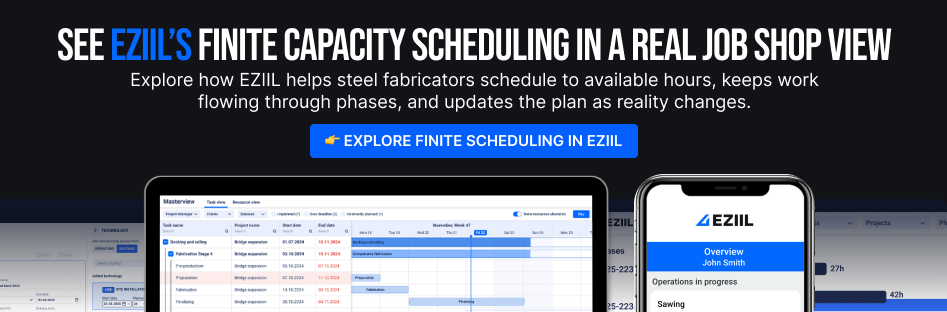
The single most valuable thing a scheduler gives a small shop is the ability to look at the next few weeks and instantly see where you are full and where you have room. That is what turns “let me get back to you” into a confident yes or a confident no when a new job comes in. Capacity bars under a master view, broken down by bay, machine, or person, are the feature owners react to most.
For more on this, check out this useful primer on getting a handle on production capacity through planning and scheduling, and for the steel-specific version, see our explainer on capacity planning for steel fabrication.
2. Drag-and-drop scheduling with manual control
Custom steel fabrication work has too many variables for full automation to be trustworthy. Engineering time varies, rework happens, a delivery slips. The shops that adopt software successfully want to drag a job, drop it on a new day, and have the system re-flow the dependencies, while leaving them in control. Manual where you want it, automation where it actually helps. Industry experts often frame the goal as scheduling by constraint, focusing the plan on your real bottleneck, which is exactly the judgment a person keeps better than an algorithm in a high-mix shop.
Beware tools that promise to auto-optimize your whole schedule, in a custom shop that often creates more cleanup than it saves. That’s exactly why production scheduling in EZIIL is semi-automated.
3. Shop-floor and mobile reporting
A schedule that only the office can see is half a schedule. Your foreman and your welders need to view what is next and report progress from where the work happens, on a phone or a tablet. That is also what keeps the office picture current without anyone re-keying a spreadsheet. Look for real shop floor scheduling and a mobile app, not just a desktop Gantt chart.
4. Plan-versus-actual job costing
When time reported on the floor flows back against the estimate, two good things happen. You see which jobs are bleeding margin while you can still react, and your next quote gets more accurate because it is built on real history, not gut feel. This plan-versus-reality loop is where most small fabricators find their first few points of margin.
5. It speaks fabrication
This one sounds soft, but it decides deals. One steel shop owner evaluating systems told us that the thing that stopped him cold with every other tool was that “nothing had even the word preparation or finishing in it.” Generic manufacturing software models your shop as assembly steps. Fabrication-native software, such as EZIIL, models it as cutting, prep, welding, finishing, and the offcuts and remnants in between. When the software already uses your words, your team adopts it instead of fighting it.
The Blockers that stop shops from switching, and how to de-risk each
Most shop owners know their scheduling is a mess long before they do anything about it. What stops them is not the cost of the software. It is fear, the specific, reasonable fears that come from watching other shops get burned. Here are the five we hear most, and how to take the risk out of each.
1: “The rollout will take a year and wreck my shop.”
Fabricators regularly warn that heavy ERP implementations can take one to two years and disrupt operations the whole time. But that is ERP. It is not what a simple scheduler should ask of you.
De-risk it: look for a modular production scheduling software, such as EZIIL, and start with scheduling only. Add other modules later. With a fabrication-focused tool, the realistic path is first reporters live in about two to three weeks and the full company running within one to two months, not next year. Ask any vendor for that timeline in writing before you sign.
2: “My guys won’t use it.”
Shop-floor crews are practical and skeptical, and rightly so. The software has to be easier than the whiteboard or it’s not worth it.
De-risk it: favor drag-and-drop interfaces, keep paper-friendly printouts for the stations that still want them, and roll out one module at a time so nobody is hit with everything at once. The high turnover common in shops is actually an argument for simple tools: a short learning curve means a new hire is productive in a day, not a month.
3: “It won’t fit how a custom shop really works.”
Most production software assumes you make the same thing repeatedly. But in a small custom steel shop, you do not.
De-risk it: choose a tool built for made-to-order steel, where one-off jobs, variable routings, and project-based work are the default, not an exception you have to force the software to accept. The “made-to-order, not mass-production” distinction is the fastest way to tell whether a tool was built for your kind of shop.
4: “I’ll have to rip out the systems I already run.”
You have an accounting package, maybe an ERP, maybe a detailing tool, and the last thing you want is to replace all of it.
De-risk it: the smart move for most small shops is a scheduling and shop-floor layer that runs alongside what you already have, not a rip-and-replace. The realization that lands for a lot of owners is that they do not have to migrate off their existing system to get a real schedule, they can add the missing layer on top. If you run an ERP today, see how a scheduler complements your existing software rather than replacing it.
5: “Is it even priced for a shop my size?”
Enterprise tools quote per user and bundle in modules you will never touch, and the price climbs every time you add a head.
De-risk it: look for modular pricing where you pay for the parts you actually use and you are not penalized per seat as your crew grows. Start with the scheduling module, add materials or purchasing only when you need them. We break the numbers down in a dedicated guide on the top 6 affordable production scheduling tools for steel fabricators.
How to roll out a simple production scheduling system
The shops that succeed do not try to digitize everything at once. They follow a sequence that gets a live, trustworthy schedule on the wall fast, then build from there. This staged, improve-then-add approach mirrors the lean methodology that bodies like the NIST Manufacturing Extension Partnership advocate for small manufacturers.
Here is a first month roll-out plan that works no matter which tool you pick.
- Week 1: Map your routings. Write down the real steps a typical job goes through in your shop, cut, prep, weld, finish, ship, and the work centers or people who do them. Keep it simple. You are describing how work already flows, not redesigning it.
- Week 1 to 2: Load this week’s jobs. Put your current live jobs into the tool with their due dates. Do not back-load a year of history. The goal is a true picture of right now.
- Week 2: Get capacity visible. Turn on the capacity view so you can see, for the first time, where you are overloaded and where you have room. This is usually the moment the team stops doubting the software, because it tells them something the whiteboard never could.
- Week 3: Put it on the floor. Give your foreman and crew the mobile or shop-floor view and start reporting progress from where the work happens. Now the office picture updates itself.
- Week 4: Close the loop, then add one module. Start comparing planned hours against actual hours on a few jobs. Once that rhythm is steady, and only then, add the next piece, materials, purchasing, or job costing.
This is also a fair test of any vendor. A tool built for small fab shops should be able to support exactly this guided, module-by-module path and give you a named onboarding contact. If a vendor cannot get your first reporters live inside a month, that tells you something about the product.
Simple Production Scheduling Tools small steel shops use
The right pick depends on your size, your work mix, and how much system you want to run. Here is a comparison on the tools small steel and fab shops most often choose, including where each one fits and where it does not.
| Tool | Best fit | Watch-outs |
| EZIIL | Small custom steel and fab shops (roughly 5 to 50 people) that want visual scheduling, capacity planning, and shop-floor tracking without an ERP rollout. Built for made-to-order fabrication, speaks fabrication language, runs alongside your existing accounting or ERP, modular setup, guided onboarding. | More operations-management than deep optimization or auto-scheduling. Heavy nesting is handled through integrations rather than built in. |
| MRPEasy | Small manufacturers and distributors that want MRP depth (BOMs, inventory, purchasing, work orders) alongside scheduling, and have some repeatable production. | Built around manufacturing logic, so it can feel like more than a pure scheduler needs. Some users report friction integrating with their accounting software. |
| Katana | Small-batch and maker-style producers that want a clean, modern inventory-plus-production interface and easy onboarding. | Lacks custom-steel-specific workflow logic. Reviewers raise concerns about pricing and billing model. |
| JobBOSS² | Established job shops and machine shops that want estimating-through-shop control in one heavier system, with hands-on implementation support. | A larger footprint and more system than a shop that just wants to get its schedule visible. Often more than a 5 to 50 person shop needs on day one. |
| Generic Gantt or project tool | Very small shops still mostly manual that just want drag-and-drop visibility and are not ready for any manufacturing system yet. | Not fabrication-aware. No real capacity logic, materials, or job costing, so most shops outgrow it quickly and migrate again. |
A pattern shows up again and again in fabricators’ own advice to each other: start with scheduling and tracking, standardize your routings and job costing, add machine and materials integration later, and only move toward a full ERP once the operational discipline is already in place. Buying the biggest system first is the most common, and most expensive, mistake.
For a fuller, regularly updated comparison, see our roundup of the best production scheduling and planning software.
Where EZIIL fits best
EZIIL is a production scheduling and shop-floor software built specifically for small and mid-size steel and metal fabrication shops, the kind running custom, project-based work rather than mass production. It gives you the five things above in one place: a visual drag-and-drop schedule, a real capacity view for go/no-go decisions, a mobile shop-floor app your foreman can run, plan-versus-actual job costing, and a vocabulary that already includes preparation, finishing, cutoffs, and remnants.
EZIIL is designed to run alongside the accounting or ERP system you already have, to go live module by module instead of all at once, and to get your first reporters working in weeks with guided onboarding. It is not the right tool if you need a single all-in-one platform that also does estimating, drawings, and heavy nesting in-house; for that, larger ERP systems exist.
Frequently asked questions
What is the simplest production scheduling tool for a small steel shop?
The simplest tool is one built for custom fabrication rather than mass production, that gives you a visual drag-and-drop schedule, a capacity view, and shop-floor reporting without a long implementation. For a 5 to 50 person steel or fab shop, fabrication-native tools like EZIIL are usually simpler to adopt than general manufacturing MRP systems, because they already use your shop’s vocabulary and go live module by module in weeks.
Do I need an ERP to schedule production in my fab shop?
No. An ERP is a much larger system that manages your whole business, and for most small shops it is overkill to buy one just to fix scheduling. A focused scheduling and shop-floor layer that runs alongside your existing accounting will solve the scheduling problem faster, cheaper, and with far less disruption. Many shops add an ERP later, once their scheduling and costing discipline is already in place.
How do I stop two jobs from using the same steel?
The fix is software that links materials to jobs, so when stock is allocated to one job it is no longer available to another. A spreadsheet cannot enforce this, which is why double-booked plate and sections show up at the saw. A fabrication scheduler, like EZIIL, with material reservation per job prevents the conflict before it reaches the floor.
How long does it take to set up production scheduling software?
For a simple, fabrication-focused scheduler, a realistic path is first reporters live in about two to three weeks and the full company running within one to two months. That is very different from a full ERP rollout, which can take a year or more. Always ask a vendor for the timeline in writing before you commit.
Can production scheduling software run alongside my accounting or ERP system?
Yes, and for most small shops that is the better approach. Rather than ripping out the systems you already use, a scheduling and shop-floor tool can layer on top, adding the visual scheduling, capacity planning, and progress tracking that accounting packages and many ERPs do not handle well.
What should I look for in scheduling software for a small fabrication shop?
Five things: a visual capacity view for go/no-go decisions, drag-and-drop scheduling with manual control, mobile shop-floor reporting, plan-versus-actual job costing, and software that speaks fabrication (cutting, preparation, welding, finishing) rather than generic work orders. EZIIL covers those five and goes live in weeks.
Related reading: best production scheduling and planning software, job shop software for fabricators, finite capacity scheduling explained.