
Last updated: 12 October 2026
Metal fabrication software runs the production side of a fab shop. It schedules jobs, holds the bill of materials, orders material, tracks work on the shop floor and shows what each job costs. There is no single best tool. The right one depends on your shop size and the work you do.
Quick picks:
- Project-based custom fabricators, 15 to 150 staff: EZIIL
- Large structural shops already detailing in Tekla Structures: Tekla PowerFab or StruMIS
- US job shops moving off Excel: JobBOSS², MIE Trak Pro or ProShop ERP
- Small UK make-to-order shops: Statii
- A dedicated quoting layer: SecturaFAB
- Small generic shops that want self-serve setup: MRPeasy
Start with the comparison table below, then read the full review of each tool.
If you already know what you need, go straight to the EZIIL page for it: job shop software, manufacturing scheduling software, shop floor management software, MES software, engineer-to-order software, manufacturing project management software, purchasing software, steel inventory management and job costing. For narrower comparisons, see the best production tracking software, the best shop floor management systems and the best production scheduling and planning software for metal fabricators.
On this page
- Quick comparison table
- What is metal fabrication software?
- Types of metal fabrication software
- How to choose: 5 decisions to make first
- The 16 best metal fabrication software tools
- Tools we considered but excluded
- Which software fits which sub-category
- What metal fabrication software costs in 2026
- Implementation cost
- Total-cost example: 30-person shop
- Implementation reality check
- Must-have features checklist
- All 16 tools at a glance
- Bottom line
- FAQ
The 16 metal fabrication software tools we evaluated (quick snapshot)
This is the TL;DR comparison matrix based on information from vendor sites, Capterra, G2, and SoftwareConnect. Where a vendor does not publish pricing, we note “quote-based” and include the implementation range buyers have publicly reported.
| Software | Best for | Deployment | Pricing model | Fabrication-specific | EN 1090/ traceability | Modular |
|---|---|---|---|---|---|---|
| EZIIL | Project-based custom fabricators, 15 to 150 staff | Cloud-native | Flat-rate by team-size band | Yes | Yes (module) | Yes |
| Tekla PowerFab | Heavy structural steel, Tekla design integration | Cloud or on-premise | Quote-based, perpetual license + maintenance | Yes | Partial | No |
| StruMIS | Mid to large structural steel, BIM-driven | Cloud or on-premise | Quote-based, license + maintenance | Yes | Partial | No |
| JobBOSS² | US job shops moving off Excel | Cloud or on-premise | Quote-based subscription | No (generic job shop) | No | Limited |
| MIE Trak Pro | Small to mid US custom manufacturing | Cloud or on-premise | Quote-based, min 5 users | Partial | No | Limited |
| Genius ERP | Custom manufacturing, 50+ staff | Cloud or on-premise | Per-user subscription | Partial | No | Limited |
| MRPeasy | Small generic MRP, fastest self-serve | Cloud | Per-user subscription | No (generic MRP) | No | Limited |
| Fulcrum | High-mix US job shops | Cloud | Subscription, not per-user | Partial | No | No |
| ProShop ERP | High-mix US machine and fab shops | Cloud or on-premise | Quote-based, unlimited users | Partial | No | Limited |
| SYSPRO | Multi-industry generic ERP | Cloud or on-premise | Per-user subscription | No (generic ERP) | No | Limited |
| Global Shop Solutions | Job shops needing one big system | Cloud, SaaS or on-premise | Concurrent-user license | Partial | No | No |
| Statii | Small UK make-to-order shops | Cloud | Per-user subscription | Yes (light) | No | No |
| Construsteel | Structural steel and BIM workflow | Cloud or on-premise | Quote-based, license + maintenance | Yes | Partial | No |
| FabOps | Small to mid metal fab shops | Cloud or on-premise | All-inclusive flat fee | Yes | No | No |
| RealSTEEL | Steel service centers and fabricators on Microsoft Dynamics | Cloud (Business Central) | Per-user subscription | Yes | No | Limited |
| SecturaFAB | Estimating and quoting layer for metal fab | Cloud | Per-user subscription | Yes (quoting only) | No | No |
What is metal fabrication software?
Metal fabrication software is the system that runs the production side of a custom or project-based fabrication shop. It schedules jobs across people and machines, tracks where each job is on the floor right now, holds the bill of materials, manages procurement, costs the job as it moves, and tells you whether you are about to deliver late or under margin.
It sits between your CAD or CAM (the design layer) and your accounting (QuickBooks, Xero, or a full general ledger). It is not a CAD tool, not a CPQ or quoting-only tool, and not a 3D modeller. Different acronyms get used for it interchangeably, which is one reason buyers feel confused. People search for the same category as metal manufacturing software, metal fabrication ERP, ERP software for metal fabrication, metal fabrication ERP software, fabrication shop management software, and shop fabrication software. They all refer to roughly the same thing.
- MRP (Material Requirements Planning) is the supply-planning side: materials, inventory, work-in-progress, project margins.
- ERP (Enterprise Resource Planning) is the same thing with finance baked in. This is the version most buyers mean when they search for “metal fabrication ERP.”
- MES (Manufacturing Execution System) is the shop-floor layer that captures real-time progress.
In practice, modern cloud fabrication software covers all three, and the line between them gets blurred. We use “metal fabrication software” as the umbrella in this guide. For deeper definitions, see our MRP vs ERP comparison and MES vs ERP comparison.
Where the metal fabrication software category is going in 2026
The metal fabrication software category is growing fast. Industry estimates range from around $2.5 billion in 2025 to $8.75 billion depending on how broad the scope is, with compound annual growth rates between 8% and 9.8% through 2033 (sources: Verified Market Research, Market Research Future).
Two things are driving that growth:
- Smart manufacturing investment. A 2025 Deloitte survey of 600 manufacturing executives found that 80% plan to invest 20% or more of their improvement budgets in smart manufacturing initiatives, including cloud ERP and AI-powered tools. (Deloitte 2026 Manufacturing Industry Outlook)
- Data-center construction. The 2026 metal fabrication forecast from The Fabricator points to a data-center-driven surge in steel demand, with mill lead times stretching to six weeks and demand from data centers, infrastructure, and energy projects pushing growth in a divided economy. (The Fabricator, 2026 forecast)
Types of metal fabrication software
“Metal fabrication software” covers several different kinds of tools. Most shops use more than one, so it helps to know which layer you are shopping for.
| Type | What it does | Examples | Who needs it |
|---|---|---|---|
| CAD and 3D design | Models parts and assemblies and produces drawings | SolidWorks, Autodesk Inventor, Fusion, Onshape | Shops that design their own products |
| Structural detailing and BIM | Turns the building model into shop drawings and part lists | Tekla Structures, SDS2, Advance Steel | Structural steel fabricators |
| Nesting and CAM | Lays parts out on sheet, plate or tube and creates the machine programs | SigmaNEST, ProNest, Lantek | Shops with laser, plasma or punching machines |
| Estimating and quoting | Builds up costs and prices for bids | SecturaFAB | Shops that bid on many jobs |
| Production management (MRP, ERP, MES) | Schedules jobs, holds the BOM, buys material, tracks the shop floor and costs each job | The 16 tools in this guide | Every shop running several jobs at once |
This guide compares the last row: the systems that run the shop once the drawing is done. A good one connects to the tools above, for example by importing the BOM from your CAD or detailing software. For the other layers, see our guides to nesting software for laser and plasma cutting and steel fabrication estimating software.
Before you compare: 5 Critical Consideration points
The criteria matter more than the features, because the features only make sense once you know which architecture you are buying into. Five real decisions narrow your shortlist faster than any feature checklist.
1. Cloud vs on-premise
Cloud-native software lives on the vendor’s servers. You log in with a browser. Updates happen quietly. You pay a monthly or annual subscription. The risk is internet dependency: if your shop loses connectivity, you lose access.
On-premise software lives on your own server. You own the licence, you maintain the hardware, you do the backups, you upgrade when the vendor releases a new major version. The risk is the maintenance load and the way costs creep when you have to refresh a server or pay a 10% to 25% annual maintenance fee.
For shops under 150 people, cloud usually wins. For shops with 500+ people, on-site IT teams, or unusual security requirements, on-premise still has a place.
If this matters most to you: consider EZIIL, MRPeasy, Fulcrum, FabOps, RealSTEEL (cloud-native) versus Tekla PowerFab, StruMIS, Global Shop Solutions (cloud-or-on-premise).
2. Per-user pricing vs flat-rate pricing
Per-user pricing scales painfully. A 30-person shop on MRPeasy Professional ($69 per user per month, verified October 2026) is $24,840 per year just in software.
Flat-rate pricing protects you from your own growth. EZIIL charges €120/$140, €180/$210, or €290/$338 per month depending on the team-size band, not per seat. Fulcrum charges by company size and integration complexity rather than per user. ProShop ERP allows unlimited workstations.
If this matters most to you: flat-rate options include EZIIL, Fulcrum, ProShop ERP, FabOps. Per-user pricing is standard at MRPeasy, Genius ERP, RealSTEEL, SYSPRO, JobBOSS², MIE Trak Pro, Statii, SecturaFAB.
3. Modular vs monolithic ERP
A monolithic ERP activates every feature on day one. The promise is “one system.” The reality is a six-to-twelve-month implementation, a lot of features you do not use, and a change-management problem that breaks adoption.
A modular system lets you start with the smallest useful slice and add modules on your timeline. EZIIL’s Starter product covers shop-floor scheduling, capacity planning, project tracking, mobile time capture, and the planned-vs-reality dashboard. Bill of Materials, Procurement, Inventory, EN 1090-2 compliance, Subcontractor Management, Machine Planning, Detailed Reporting, Shipments, and Invoicing integrations layer on top, one at a time, as the shop is ready.
If this matters most to you: modular by design includes EZIIL, with limited modularity at MRPeasy, Genius ERP, JobBOSS², MIE Trak Pro, RealSTEEL. Monolithic by design includes Tekla PowerFab, StruMIS, Global Shop Solutions, Fulcrum, ProShop ERP, SYSPRO, Construsteel.
4. Fabrication-specific vs generic MRP and ERP
A generic MRP system (MRPeasy is the cleanest example) does not understand EN 1090 EXC3 or EX4 traceability, welding routings, nesting handoff to ProNest or SigmaNest, or the language of structural detailing. You can twist a generic system into a fabrication mould, but the shop floor will pay for it.
A fabrication-specific system was built for this work. Tekla PowerFab and StruMIS are the heavyweight examples. EZIIL is the cloud-native, modular example. FabOps and RealSTEEL also live in this category for different segments.
If you do EN 1090 EX3 or EX4 work, weld map tracking, material certificate management, or production-lot nesting, you almost certainly need fabrication-specific software.
If this matters most to you: EZIIL, Tekla PowerFab, StruMIS, Construsteel, FabOps, RealSTEEL, Statii, SecturaFAB are fabrication-specific. MRPeasy, SYSPRO, Genius ERP, JobBOSS², MIE Trak Pro, Fulcrum, ProShop ERP, Global Shop Solutions are generic or custom-manufacturing systems that fabricators adapt.
5. Self-serve trial vs guided onboarding
Most cloud-native systems offer a self-serve trial or a free demo account. Some vendors (MRPeasy, FabOps) lean entirely on self-serve and self-implementation. Others (EZIIL, Genius ERP, Tekla PowerFab) require a guided onboarding because the data they ingest is bespoke per shop and the implementation makes or breaks adoption.
Self-serve is cheap and fast, but adoption rates are low when the buyer is new to manufacturing software. Guided onboarding costs more upfront, but the shop is more likely to be live and productive within 60 days.
EZIIL bundles guided onboarding into a one-off fee of €300/$350. That fee is unusual in this category. Most vendors charge $5,000 to $100,000+ for implementation, with industry-specific implementers commanding $75 to $150 per hour. The cheaper rate of a generalist implementer often results in longer rollouts and a higher total cost.
If this matters most to you: lightweight self-serve is the norm at MRPeasy, Fulcrum, FabOps, Statii, SecturaFAB. Guided onboarding is the norm at EZIIL, Tekla PowerFab, StruMIS, Genius ERP, JobBOSS², MIE Trak Pro, Construsteel, RealSTEEL, ProShop ERP, Global Shop Solutions, SYSPRO.
The 16 best metal fabrication software compared
Each profile follows the same template: who it is for, deployment model, pricing (as of October 2026), what it does well, where it falls short, and the type of shop that should actually pick it. We have grouped the dedicated software for steel fabrication (Tekla PowerFab, StruMIS, Construsteel, RealSTEEL) alongside the broader software for metal fabrication so you can compare apples to apples.
1. EZIIL: best for project-based custom fabricators with 15 to 150 staff
Best for: Project-based custom metal fabricators with 15 to 150 staff who have outgrown Excel and want a modular, cloud-native system that does not charge per user.
Deployment: Cloud-native (no on-premise option).
Pricing: Starter base product at €120/$140 per month for 1 to 15 users, €180/$210 per month for 16 to 50 users, €290/$338 per month for 51 to 150 users. One-off onboarding fee of €300/$350. Optional add-on modules layer on top one at a time on the customer’s timeline.
Fabrication-specific: Yes.
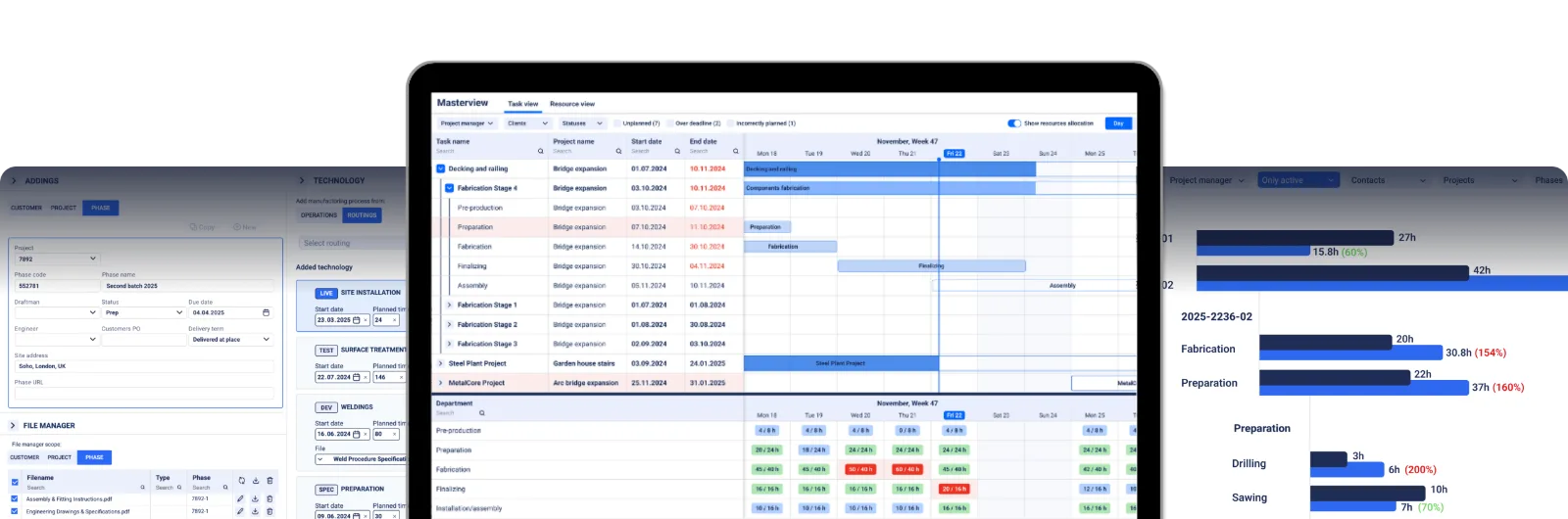
Real-world reference points:
- B&W Metall (Estonia, founded 2007) runs 100+ tons of EN 1090 EXC3 structural steel per week across 10 to 15 concurrent projects with a team of 76. Their steel goes into factories used by Amazon, Volkswagen, and Škoda. They moved off Excel and paper onto EZIIL and now run a paperless plant. Their project manager and planner, Elari: “Packing used to be a five-hour job. Today I can probably get the same five hours of work done in twenty minutes.”
- FLI Structures (UK, Gloucester) runs 100+ concurrent projects with a 9-person projects team and ~70 total staff. They hold BS EN 1090 EXC4 (the highest classification for structural steelwork) and Fit 4 Nuclear status. Their fabricated steel sits inside Hinkley Point C, the UK’s newest nuclear power station, and carries half the UK’s mobile telecoms network. Their Projects Team Manager said: “It’s such an integral part of the business, you almost forget what it was like before.”
What does EZIIL do well
- Cloud-native, mobile shop-floor app for iOS and Android. Welders can clock onto jobs from a tablet without needing a desktop.
- Drag-and-drop Master View with every project and department on one screen. A panel underneath adds up each department’s hours per week and turns red when the work is more than the hours you have.
- Manual planning by design. EZIIL doesn’t auto-schedule your shop, because automatic scheduling only works when every parameter is precise and up to date, and a job shop day rarely is. Your planner keeps the decision.
- EN 1090-2 traceability.
- Modular architecture. Start with Starter, add Bill of Materials, Procurement, Inventory, EN 1090, Subcontractor Management, Machine Planning, Advanced Shop Floor Control, Detailed Reporting, Shipments and Deliveries, or Invoicing integrations later, one at a time.
- Flat-rate pricing by team-size band, not per user. At 50 users, EZIIL is €180/$210 per month. MRPeasy at the same headcount on Professional is around $3,450 per month.
Where EZIIL falls short
- No native nesting. EZIIL exports cleanly to ProNest, SigmaNest, and Lantek, but it does not nest plate or bar inside the product. For shops that want one tool that includes nesting, this is a gap.
- No automated quoting or CPQ. EZIIL is not an estimating tool.
- Cloud only. There is no offline mode if your shop loses internet.
Who is EZIIL the best fit for
Project-based custom fabricators (structural, miscellaneous metals, architectural, sheet metal, weldments) with 15 to 150 staff. If you are EN 1090 EXC3 or EX4 (or aiming there) and currently on Excel, EZIIL is built for you.
2. Tekla PowerFab: best for structural shops already detailing in Tekla Structures
Best for: Heavy structural steel fabricators already detailing in Tekla Structures.
Deployment: Cloud or on-premise.
Pricing (as of October 2026): Quote-based. Perpetual licence plus annual maintenance, or subscription. No public per-user list price. Public industry references put it at €10,000 to €50,000+ per year for mid-sized shops, with larger installations significantly higher.
Fabrication-specific: Yes (structural focus).
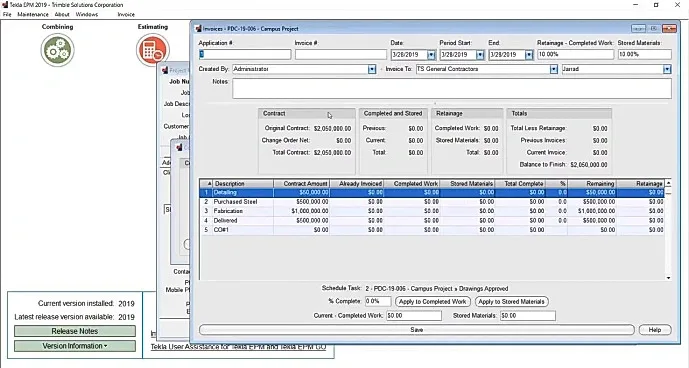
What does Tekla PowerFab do well
- Deep integration with Tekla Structures (the BIM detailing platform). If your engineering team already designs in Tekla, PowerFab is the natural next link in the chain.
- Mature feature set across estimating, project management, nesting, purchasing, inventory, production tracking, and workshop monitoring.
- Real-time visibility across the structural fabrication workflow.
- Strong adoption among 100+ person structural steel shops.
Where Tekla PowerFab falls short
- Pricing puts it out of reach for shops under 50 staff. Independent online reviewers consistently flag the price.
- Long implementation. Multiple online reviewers report a steep learning curve.
- Rigid for miscellaneous-metals work. PowerFab assumes structural detailing in Tekla. If you run misc metals, architectural, or sheet metal as a meaningful share of your jobs, the system fights you.
- Per-user pricing model. Costs scale with headcount.
Who is Tekla PowerFab the best fit for
100+ person structural steel fabricator already running Tekla Structures in-house. If that is you, PowerFab is still the default. If you are a 30-person misc-metals shop, look elsewhere. Find out more in our article comparing Tekla PowerFab to EZIIL.
3. StruMIS: best for mid to large structural steel fabricators
Best for: Mid to large structural steel fabricators, BIM-driven, EN 1090 EX3 or EX4 work.
Deployment: On-premise (primary) or cloud.
Pricing (as of October 2026): Quote-based, license plus maintenance. Industry references put the upfront investment at “tens of thousands of euros” for the base licence; total year-one cost commonly £15,000+ for a mid-sized fabricator. (SoftwareConnect)
Fabrication-specific: Yes.
What is StruMIS? StruMIS, sold as STRUMIS MRP, is a fabrication management system for structural steel, used mostly by mid-size and large structural fabricators. It covers estimating, nesting, inventory and parts tracking with traceability, which is why buyers search for it as both an ERP and an MRP. If your shop has fewer than 50 staff, read our StruMIS vs EZIIL comparison for small steel fabricators.
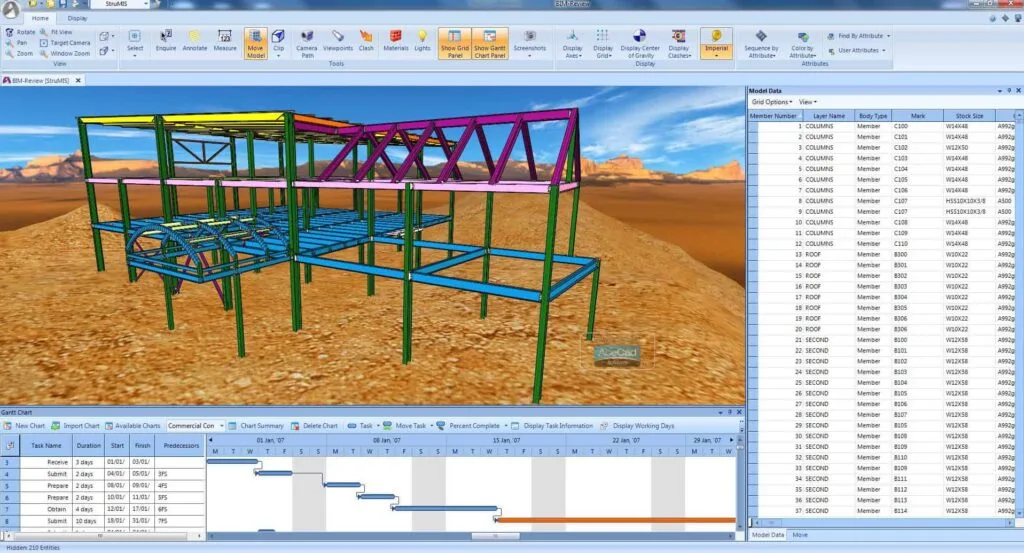
What does StruMIS do well
- Real-time parts tracking with full traceability.
- BIM modelling software integration.
- Nesting and material-drop reduction is a regular standout in online reviewer feedback.
- Parametric assemblies for estimating from electronic takeoffs or paper drawings.
- Cost control across long structural projects.
Where StruMIS falls short
- Steep learning curve flagged in multiple Capterra and SourceForge reviews.
- Long initial setup. The investment is significant before results show up.
- High-end pricing not cost-effective for smaller fabricators doing varied jobs.
- On-premise installations still need scheduled version upgrades.
- Budget vs actuals tracking is weak in some reviewer feedback, with no clean way to differentiate labor hours from machine hours.
Who is StruMIS the best fit for
Mid-size to large structural steel shops (50+ staff) doing heavy structural work where nesting and traceability are the highest priorities. We have a dedicated comparison page at StruMIS vs EZIIL for small steel fabricators for buyers under 50 staff.
4. JobBOSS²: best for US job shops moving off Excel
Best for: US job shops moving from Excel into a quote-to-cash ERP.
Deployment: Cloud or on-premise.
Pricing (as of October 2026): Quote-based subscription. Public references put per-user monthly pricing starting around $200. Implementation services from approximately $5,000. Silver, Gold, and Platinum tiers; pricing not published on the vendor website. (Top10ERP, SoftwareConnect)
Fabrication-specific: No. Generic job-shop ERP.
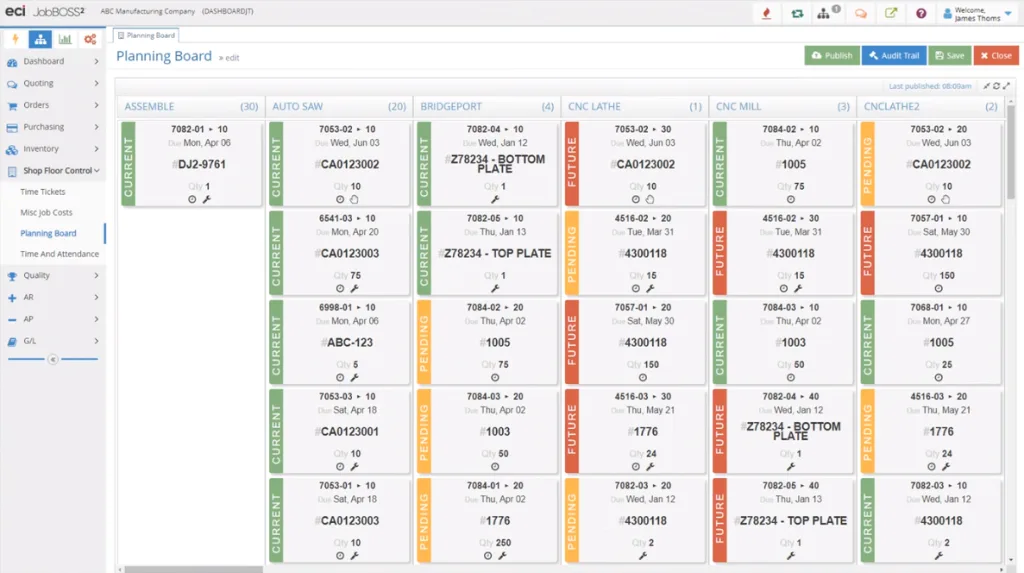
What does JobBOSS² do well
- Solid quote-to-cash flow for US job shops.
- Whiteboard Scheduler is well-reviewed by users who like a visual interface.
- QuickBooks integration for shops that want to keep their existing books.
- Broad US installed base.
Where JobBOSS² falls short
- Not fabrication-specific. Built for broader job-shop work; lacks the EN 1090, welding-route, and nesting-integration depth that fabricators expect.
- Patchy implementation reputation in online reviewer feedback.
- QuickBooks integration occasionally fragile, especially around accounting edge cases.
- Owned by ECI Solutions (a private-equity portfolio holding under Apax). The acquisition arc has frustrated some long-time E2 Shop System users who became JobBOSS² customers in 2022.
Who is JobBOSS² the best fit for
US machine and job shops with 15 to 100 staff who want a generic shop-management ERP, are committed to QuickBooks, and do not have heavy EN 1090 or structural detailing requirements. See JobBOSS² pricing and the full comparison with EZIIL.
5. MIE Trak Pro: best for US custom manufacturers with mixed product lines
Best for: Small to mid US custom manufacturing job shops with mixed product lines.
Deployment: Cloud or on-premise.
Pricing (as of October 2026): Quote-based. Minimum 5 user licenses. Subscription model. No public per-user list price. (SaaSWorthy, SelectHub)
Fabrication-specific: Partial.
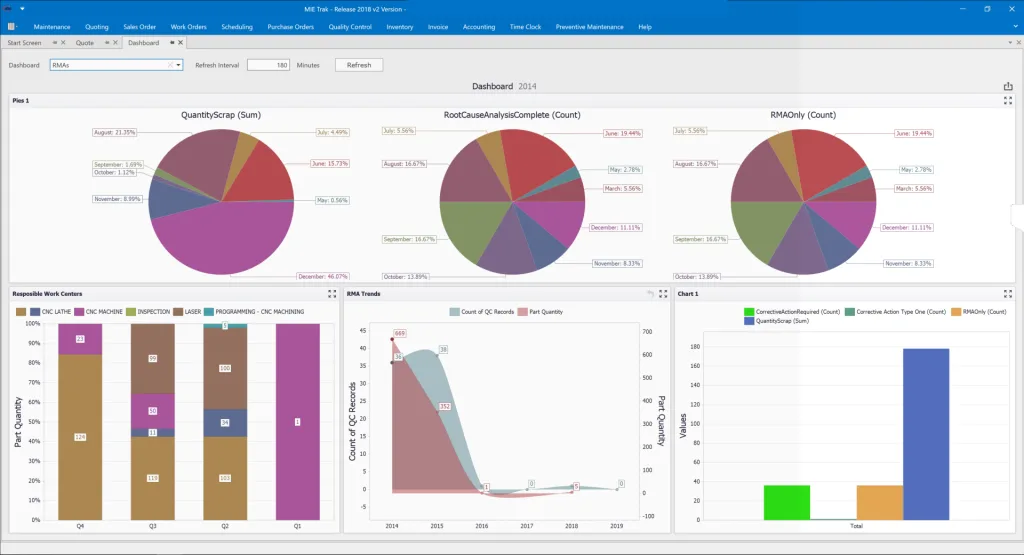
What does MIE Trak Pro do well
- Hybrid cloud and on-premise deployment for shops with mixed IT preferences.
- Integrated BOM configurator handles complex assemblies.
- Strong support reputation in the installed base.
- Real-time job tracking that pulls progress visibility into one place.
- Scales from roughly 10 to 200 employees.
Where MIE Trak Pro falls short
- Minimum 5 user licenses excludes the smallest shops.
- Not specifically fabrication-focused. Built for broader custom manufacturing; the EN 1090 and structural-steel vocabulary is missing.
- Pricing not publicly transparent.
- Limited EU presence; primarily a North American installed base.
- No flat-rate pricing.
Who is MIE Trak Pro the best fit for
US-based custom manufacturers and job shops with 10 to 200 staff where on-premise is a hard requirement or where mixed product lines need a flexible quoting and routing layer. See the full comparison between Mie Trak and EZIIL here.
6. Genius ERP: best for 50+ staff shops designing in Inventor or SolidWorks
Best for: Custom manufacturing shops with 50+ staff and Inventor or SolidWorks design-to-production workflows.
Deployment: Cloud or on-premise.
Pricing (as of October 2026): Quote-based, per-user subscription. Minimum 5 users. Implementation services from $15,000 with larger deployments commonly $50,000+. (Top10ERP, ITQlick)
Fabrication-specific: Partial. Strong for custom manufacturing with CAD-driven BOM imports; light on structural-steel-specific features.
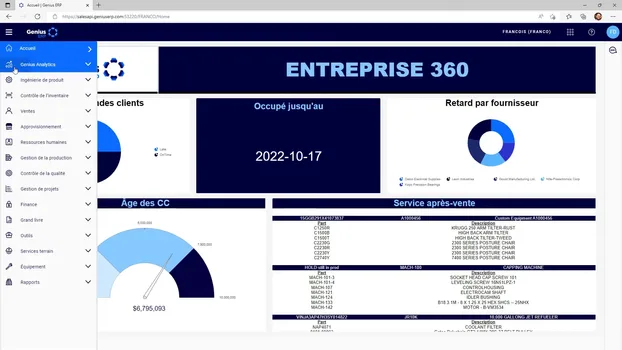
What does Genius ERP do well
- CAD2BOM automatically converts 3D Inventor and SolidWorks models into bills of materials. Eliminates manual data entry.
- Production planning aligned to actual workload and capacity.
- Accurate quoting and estimating based on materials, labor, overhead, and machine utilization.
- Industrial-engineering team behind the product, which shows in the manufacturing-savvy support.
Where Genius ERP falls short
- Per-user pricing means year-one cost climbs quickly as headcount grows.
- Higher learning curve for the AI engine and analytics features.
- Limited payroll capabilities compared to dedicated HCM tools.
- Third-party integrations can become costly.
Who is Genius ERP the best fit for
Custom manufacturers with 50+ staff in Canada or the US who design in Inventor or SolidWorks and need tight CAD-to-shop-floor integration. Heavy lift for shops under 30 staff. See the full comparison between Genius ERP and EZIIL here.
7. MRPeasy: best for small generic manufacturers that want self-serve setup
Best for: Small generic manufacturers up to ~10 office users who want the fastest possible self-serve onboarding.
Deployment: Cloud only.
MRPEasy pricing (as of October 2026): Per-user monthly. Starter at $49 per user per month. Professional at $69. Enterprise at $99. Unlimited at $149. Minimum 2 users.
Fabrication-specific: No. Generic MRP.
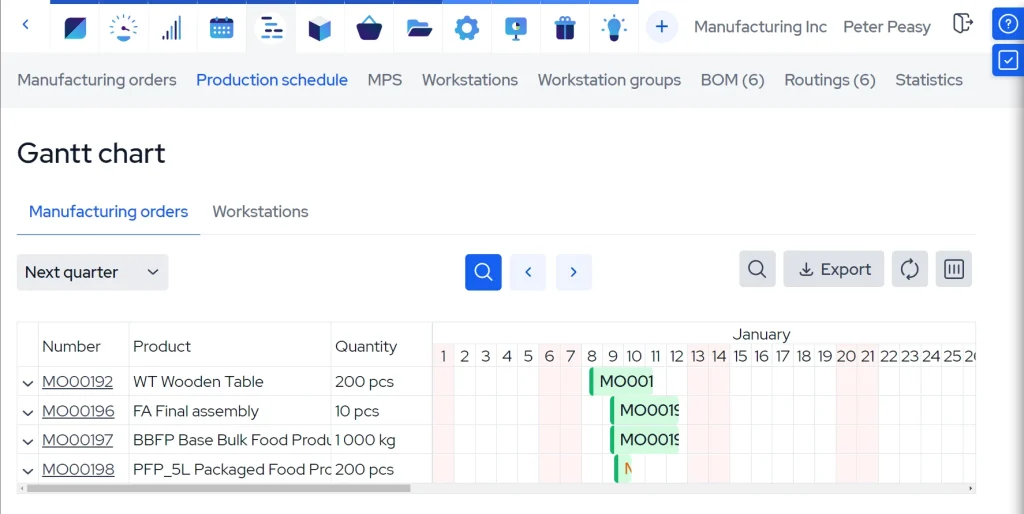
What does MRPeasy do well
- 30-day free trial, no credit card required.
- Clean, modern UI that small teams can pick up in a few hours.
- QuickBooks, Xero, Shopify, and Microsoft Power BI integrations out of the box.
- Multi-level BOM management with product configurator.
- Cost-effective for very small shops at the entry tier.
Where MRPeasy falls short
- Generic MRP, not fabrication-specific. No EN 1090, no welding routings, no nesting integration. One user with a multi-vendor fabrication workflow (flat-pattern material from one vendor, bending at another, paint at a third) users have reported on G2 that “the system doesn’t handle this process well.”
- Per-user pricing scales painfully. A 30-person shop on Professional is $24,840 per year.
- Limited production planning for project-based work.
- Reporting customization is limited.
- Support is email-only at lower tiers, with reviewer feedback flagging slow response times.
Who is MRPeasy the best fit for
Small generic manufacturers (electronics assembly, consumer products, light fab) with under 10 office users. Not the ideal tool for a project-based metal fabrication shop with 10+ people. Our dedicated piece on this trade-off is MRPeasy alternatives.
8. Fulcrum: best for high-mix US job shops that want no per-user pricing
Best for: High-mix, low-volume US job shops that want a modern cloud platform without per-user pricing.
Deployment: Cloud only.
Pricing (as of October 2026): Quote-based subscription priced by company size, integration complexity, and gross revenue rather than per user. Public references put base subscription from $800 per month at the low end, with significantly higher costs for larger shops with multiple integrations. (ERPfocus)
Fabrication-specific: Partial.
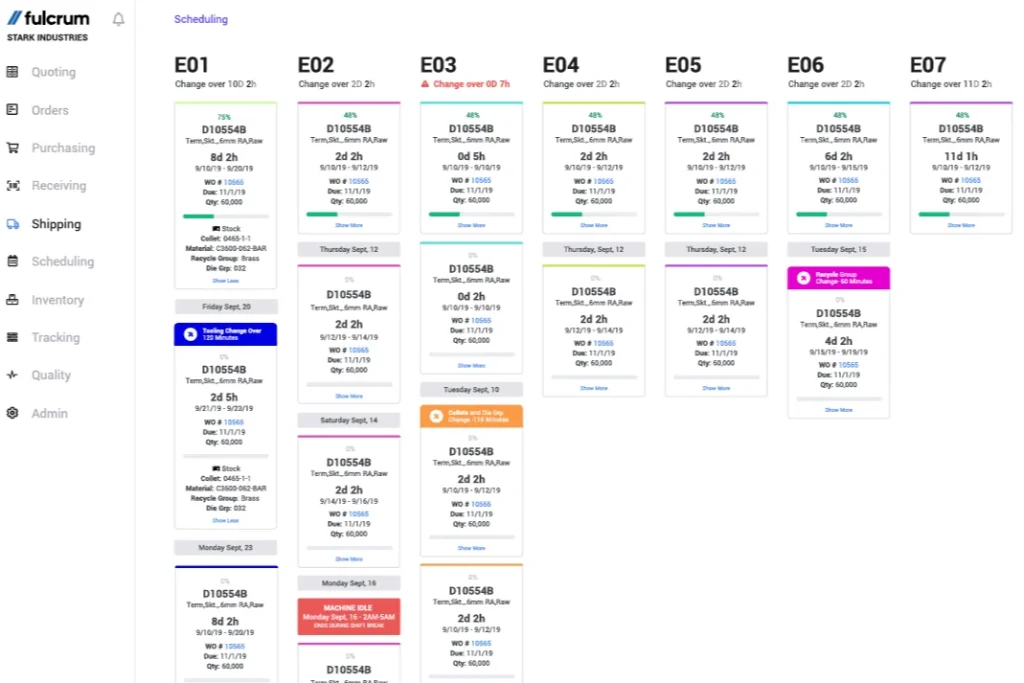
What does Fulcrum do well
- Live scheduling interface designed for high-mix, low-volume work.
- SolidWorks and Autodesk Fusion 360 integrations for CAD-driven imports.
- Handles complex BOMs required for sheet metal fabrication.
- No per-user pricing, which is unusual in the cloud-ERP segment.
- Modern UX. Implementation is faster than Genius ERP or PowerFab.
Where Fulcrum falls short
- Not recommended for shops above 200 employees. Online reviewer feedback flags slow load times and lag with large data inputs.
- Limited EN 1090 and structural-steel-specific functionality.
- Less mature than Tekla PowerFab or JobBOSS² for deep traceability.
Who is Fulcrum the best fit for
US-based high-mix, low-volume job shops with 20 to 150 staff who want a modern cloud UX and are willing to pay for it. Strong fit for machine shops; thinner fit for structural steel. See our full Fulcrum vs EZIIL comparison.
9. ProShop ERP: best for US machine and fab shops that want ERP, MES and quality in one system
Best for: High-mix US machine and fabrication shops that want one big system covering ERP, MES, and quality management.
Deployment: Cloud or on-premise.
Pricing (as of October 2026): Quote-based, with public references starting around $500 to $715 per month. Unlimited workstation model (no per-user fees once licensed). (G2, SoftwareWorld)
Fabrication-specific: Partial.
What does ProShop ERP do well
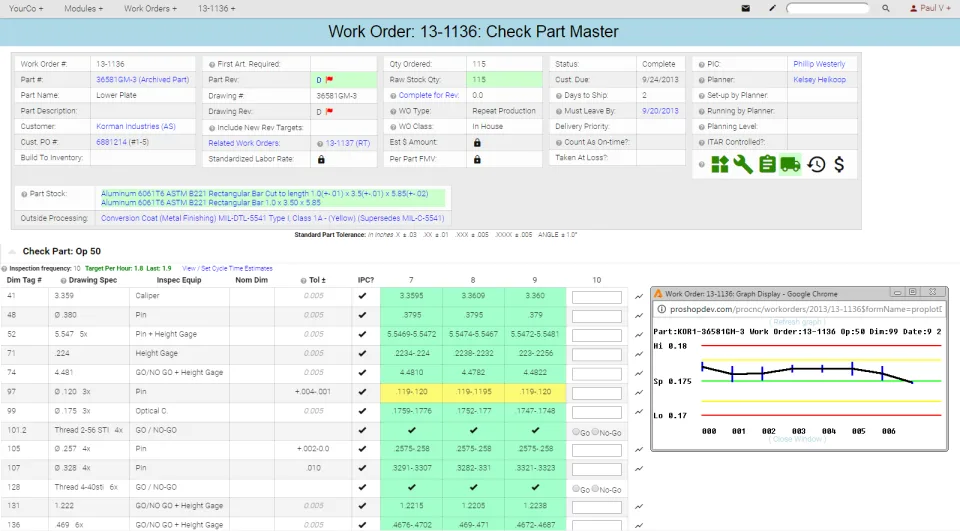
- Web-based, paperless workflow that ISO-certified shops love. ProShop won Capterra’s Best Value and Best Ease of Use awards based on Capterra reviewer feedback.
- Combines ERP, MES, and quality management into one platform. Strong for shops chasing ISO 9001 or AS9100.
- 100+ verified Capterra reviews with a 4.9 average rating.
- Unlimited workstations once licensed.
Where ProShop ERP falls short
- Pricing not flat-rate by team size; quote-based and can be opaque before sales conversation.
- Higher learning curve than Fulcrum or MRPeasy.
- Light on EN 1090 specifics.
Who is ProShop ERP the best fit for
High-mix machine and fab shops with 20 to 100 staff who want a single system covering ERP, MES, and quality, especially if they are pursuing or hold ISO 9001/AS9100 certifications. See our full ProShop ERP vs EZIIL comparison.
10. SYSPRO: best for multi-industry mid-market businesses
Best for: Multi-industry mid-market businesses that include some fabrication and want a single generic ERP.
Deployment: Cloud or on-premise.
Pricing (as of October 2026): Per-user monthly at $150. Minimum 10 users. Implementation from $25,000 to $500,000. (Top10ERP)
Fabrication-specific: No (generic, multi-industry).
What does SYSPRO do well
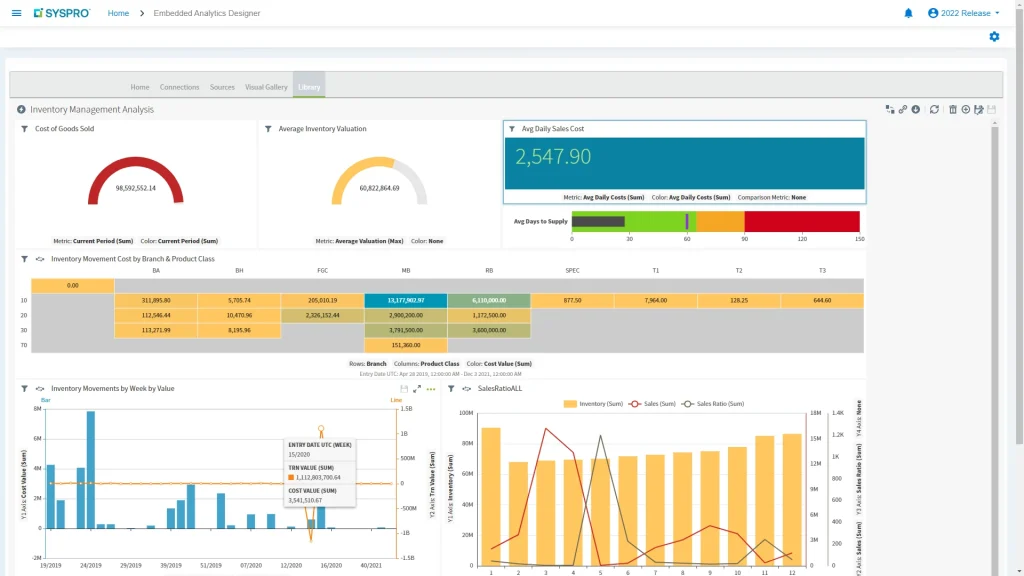
- 40+ year track record in mid-market manufacturing.
- Bi-directional CAD integration.
- Job nesting module reduces material wastage.
- Real-time material and labor usage tracking.
- Holistic cost estimation.
Where SYSPRO falls short
- Per-user pricing with 10-user minimum makes entry cost meaningful. Year-one software cost at minimum is roughly $18,000 plus $25,000+ implementation.
- Generic ERP, not fabrication-specific. The terminology gap with structural steel buyers is real.
- Steep learning curve for advanced reporting.
- Significant implementation complexity.
- Slow processing speeds reported in some reviewer feedback.
Who is SYSPRO the best fit for
Mid-market mixed-industry manufacturers with 50+ staff where fabrication is one of several product lines. Not the best tool for a pure project-based fab shop.
11. Global Shop Solutions: best for buyers who want one big system from one vendor
Best for: Single-vendor “one big system” buyers who value family-owned, debt-free vendor structure.
Deployment: Cloud, SaaS, or on-premise.
Pricing (as of October 2026): Concurrent-user license model. Upfront payment plus ongoing quarterly costs. Software updates and support included. Quote-based; no public pricing. (ERP Research, SoftwareConnect)
Fabrication-specific: Partial.
What does Global Shop Solutions do well
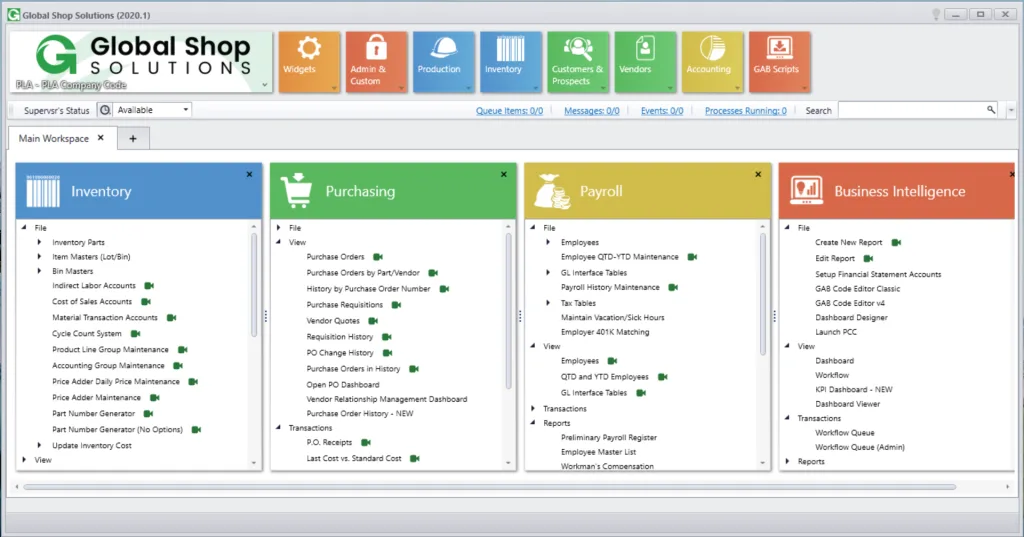
- Broad out-of-the-box functionality without add-ons.
- Shop floor control with detailed data drill-down.
- Automated work-order generation with variance reporting.
- Capacity planning with workcenter efficiency monitoring.
- Strong inventory accuracy claims.
Where Global Shop Solutions falls short
- Updates occasionally break existing functionality, per online reviewer feedback.
- Interface feels dated to some users.
- Database backups and restores are time-intensive.
- Not modular; you buy the whole stack.
Who is Global Shop Solutions the best fit for
Job shops with 50+ staff who want one vendor for their entire stack and value the stability of a debt-free, family-owned company. Heavy commitment.
12. Statii: best for small UK make-to-order shops
Best for: Small make-to-order fabricators (5 to 50 staff) who want a transparent monthly subscription.
Deployment: Cloud only.
Pricing (as of October 2026): Statii Lite is free. Statii MRP is £130 per month base (includes 1 user). Additional office users at £50 per month. Shop floor users at £6.50 per month each. 30-day rolling contract.
Fabrication-specific: Yes (light).
What does Statii do well
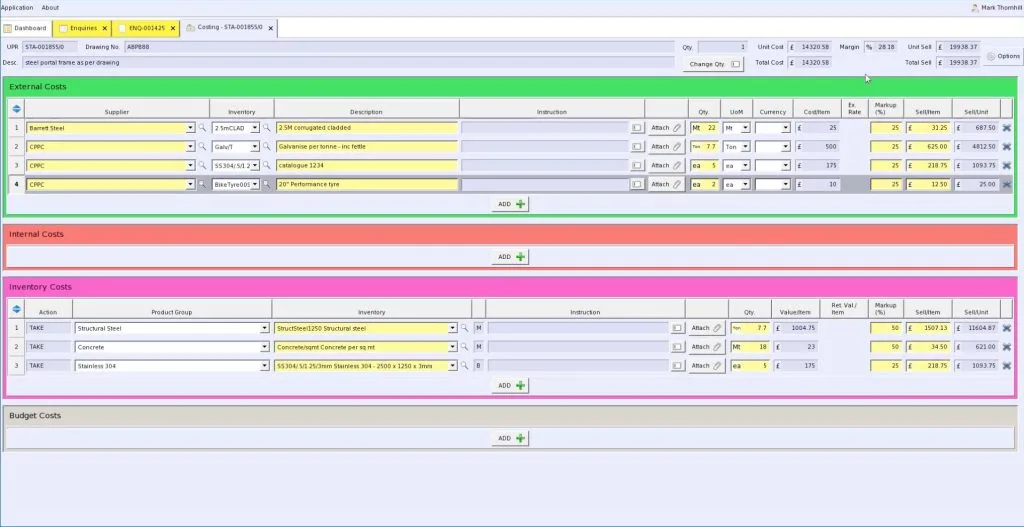
- Transparent published pricing, which is rare in this category.
- Eliminates repetitive spreadsheet work for office staff.
- Real-time business visibility from any location.
- Sage export for accounting.
- Light implementation. Up and running in days, not months.
- End-to-end traceability from raw material to delivery.
Where Statii falls short
- More limited in scope than enterprise systems like StruMIS or PowerFab.
- Primarily small to medium UK operations.
- No EN 1090 module.
- Not enterprise-grade. Shops over 50 staff usually outgrow it.
Who is Statii the best fit for
Small fab shops (5 to 30 staff) doing bespoke metal fabrication who want a transparent, fast-to-implement system. If you scale past 50 staff you will probably move on. See our full Statii vs EZIIL comparison.
13. ConstruSteel: best for European structural shops with BIM workflows
Best for: Structural steel fabricators with BIM workflows in mainland Europe.
Deployment: Cloud or on-premise.
Pricing (as of October 2026): Quote-based, license plus maintenance. No public pricing.
Fabrication-specific: Yes.
What does ConstruSteel do well
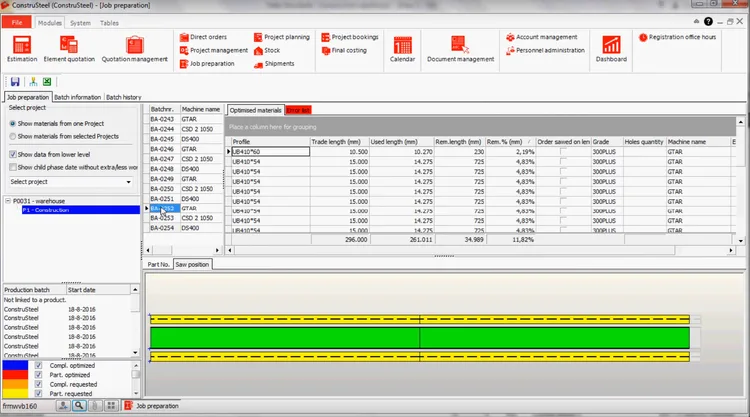
- Bar nesting tool reduces material waste.
- Skew and angular bar nesting functionality.
- Built-in formulas for calculating clamping width.
- Strong CAD integration.
- Supports multiple file formats.
Where ConstruSteel falls short
- Small installed base. Hiring people who have used Construsteel before is hard.
- Steep CAD-software learning curve.
- Less information publicly available than competitors.
- Customer support response times have been flagged.
Who is ConstruSteel the best fit for
European structural steel shops with BIM-driven workflows that want a fabrication-specific system below the price point of Tekla PowerFab. See our full ConstruSteel vs EZIIL comparison.
14. FabOps: best for small shops that want quoting, nesting and scheduling at a flat rate
Best for: Small to mid metal fab shops wanting one cloud system with quoting, nesting, scheduling, and shop-floor tracking at a flat rate.
Deployment: Cloud-hosted or on-premise.
Pricing (as of October 2026): From $5,400 per year, all features included, no tiers.
Fabrication-specific: Yes.
What does FabOps do well
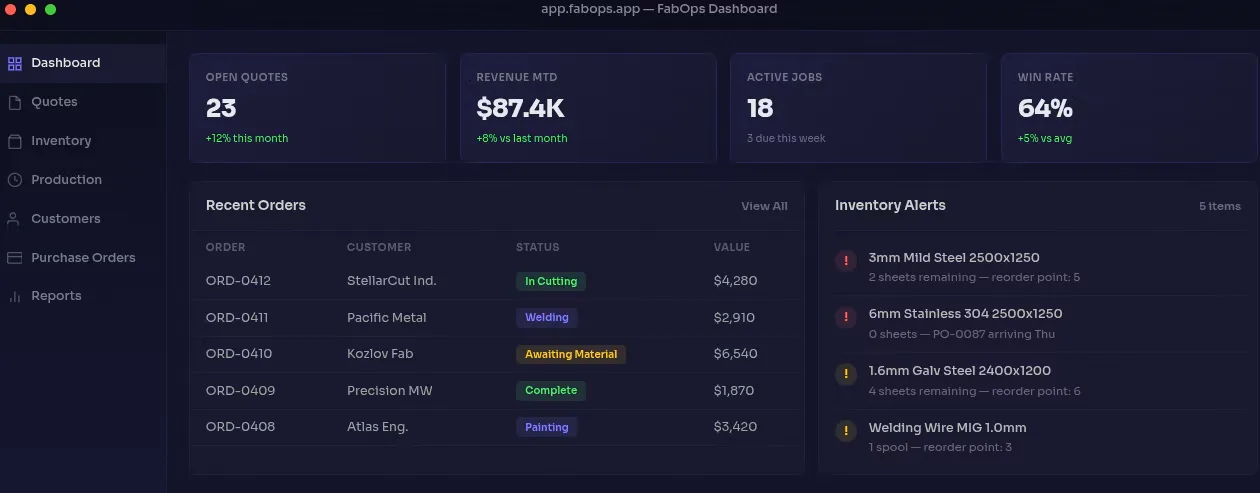
- All-inclusive flat fee with no tiers.
- Imports CAD files in DXF, DWG, and STEP for automated BOM and nesting optimization.
- Production scheduling with Gantt charts and AI for machine-capacity optimization.
- Supplier catalog management and automated purchase orders.
- Xero accounting and Stripe payment integrations.
- Cloud or on-premise deployment option.
Where FabOps falls short
- Smaller installed base than the established competitors.
- Younger product; some features still maturing.
- Limited public reviewer feedback (small sample size).
- Not specifically structural-steel or EN 1090-focused.
Who is FabOps the best fit for
Small to mid sheet-metal or general fab shops that want one tool covering quoting through to scheduling at a predictable annual cost. Strong fit for shops that work primarily in DXF and DWG.
15. RealSTEEL: best for steel service centers on Microsoft Dynamics 365
Best for: Steel service centers and metals manufacturers already on Microsoft Dynamics 365 Business Central.
Deployment: Cloud (built on Microsoft Dynamics 365 Business Central).
Pricing (as of October 2026): Per-user monthly subscription starting at $175. Minimum implementation fee $35,000. (Top10ERP)
Fabrication-specific: Yes (steel and metals industry focus).
What does RealSTEEL do well
- Built on Microsoft Dynamics 365 Business Central, which is a meaningful financial-accounting backbone.
- Accurate costing to the decimal.
- Powerful shipping dispatch capabilities.
- Inventory tracking and costing using multiple attributes (Flat Rolled, Metal Framing, Multi-Line, Plate, Fabrication).
- Tailored for steel service centers, which is a niche most generic ERPs do not serve.
Where RealSTEEL falls short
- $35,000 minimum implementation fee is a meaningful barrier.
- Per-user pricing.
- Requires Microsoft Dynamics 365 Business Central as the underlying platform, which is its own learning and licensing curve.
- Less suited to one-off project-based custom fabrication; better fit for service-center and recurring-material workflows.
Who is RealSTEEL the best fit for
Steel service centers, metal stockists, and steel manufacturers with 25+ staff who are already in the Microsoft Dynamics ecosystem or want to be. See our full RealSTEEL vs EZIIL comparison.
16. SecturaFAB: best for adding a dedicated quoting layer
Best for: Adding a fast, specialized quoting and estimating layer alongside whatever production system you run.
Deployment: Cloud only.
Pricing (as of October 2026): Under $200 per user per month for small and mid-size fab businesses. Monthly subscription, no long-term contracts. (Capterra)
Fabrication-specific: Yes (quoting only).
What does SecturaFAB do well
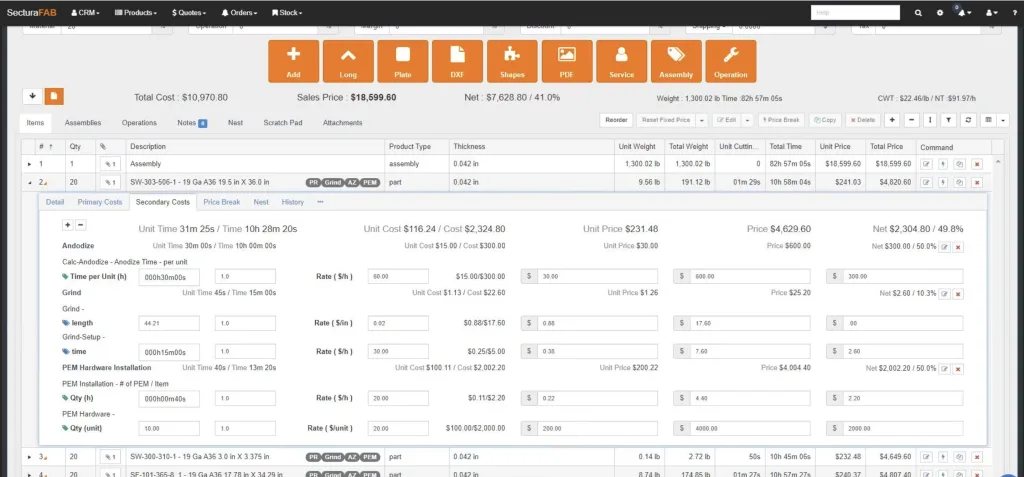
- Specialized estimating and quoting for metal fabrication, not a general manufacturing tool.
- Price books for applying specific labor and materials pricing across locations or customers.
- Built-in CRM for managing clients and vendors in one place.
- Speed of estimating is the recurring standout in reviewer feedback.
Where SecturaFAB falls short
- Quoting only, not a production-management system. You still need EZIIL, JobBOSS², Tekla PowerFab, or similar for shop-floor work.
- Per-user pricing.
- Most useful as part of a stack, not a standalone solution.
Who is SecturaFAB the best fit for
Fabricators who already have a production system and want a dedicated quoting layer that wins more bids faster. A natural complement to EZIIL.
Tools we considered but excluded
A few well-known systems show up on competing lists but are not the right fit for project-based metal fabrication. We include them here so you do not have to wonder.
- FabTrol. Discontinued by AVEVA in June 2022. Existing licenses still run, but no updates or security patches are issued. (EZIIL on FabTrol status). Most orphaned users have migrated to EZIIL, StruMIS, ProShop, or RealSTEEL.
- Katana Cloud Inventory. Inventory-first, light on production planning, no EN 1090, no welding routings. Better fit for e-commerce and light assembly than for fab. See our Katana alternative for custom steel fabricators.
- Fishbowl. Inventory-and-light-manufacturing tool that lives close to QuickBooks. Not built for project-based fabrication workflows.
- NetSuite. General-purpose ERP. Powerful but expensive and not fabrication-specific. Implementation costs reach $100,000+.
- Acumatica Cloud ERP. General-purpose cloud ERP. Same comment as NetSuite. Most useful when you have multiple non-fab business lines.
- Odoo. Open-source modular ERP. Cost-effective and broad, but the fabrication-specific functionality has to be assembled from modules and customizations. Strong for cost-conscious mixed-industry buyers; weaker for a focused fab shop.
- ERPAG. Affordable all-in-one inventory and manufacturing tool. Quality management module scores below market average. Not deeply fabrication-specific.
If you are choosing between one of these and an entry on our 16-vendor list, the entry on our list will almost always be a stronger fit for a project-based metal fabrication shop.
See how project-based metal fabrication shops actually run on EZIIL
With EZIIL you can go live in under a week, starting with one module, and add the rest when your team is ready. Two short routes to see it in action:
- Take a free tour (no calendar booking required).
- Book a 30-minute demo and walk through your own production scenario.
Specialized cases: which software fits which sub-category
The metal fabrication software category is broad. A few specialized buying scenarios deserve their own paragraph.
Sheet metal fabrication software
For pure sheet metal work, the buying criteria shift toward dimensional inventory tracking (sheets, coils, drops), CAM integration (Lantek, SigmaNest, ProNest), and laser/turret routing.
EZIIL handles sheet metal projects (with material certificates and EN 1090 traceability if you need it). Fulcrum is purpose-built for sheet metal job shops in the US. FabOps ingests DXF natively. ProShop ERP is strong for sheet-metal-and-machining hybrid shops.
Structural steel fabrication software
For structural steel work (beams, columns, braces, large weldments), Tekla PowerFab is the heavyweight default if you already detail in Tekla. StruMIS is the strongest BIM-driven alternative. Construsteel sits below them in price and complexity.
EZIIL is the cloud-native, modular option for structural shops with 15 to 150 staff who want flat-rate pricing.
Steel fabrication estimating software (and metal fabrication estimating software)
Estimating is its own discipline. SecturaFAB is the cleanest specialist tool in metal fabrication estimating software. Tekla PowerFab and StruMIS include strong estimating modules within the broader ERP.
EZIIL intentionally does not do estimating. Our recommendation: pair EZIIL with SecturaFAB if you need a fast, dedicated quoting layer.
Steel fabrication management software
This is the umbrella we use throughout the guide. The best choices in 2026 are EZIIL, Tekla PowerFab, StruMIS, JobBOSS², MIE Trak Pro, ProShop ERP.
Steel inventory management software
For dimensional steel inventory (plates, beams, drops, certificates), RealSTEEL is the most specialized in this niche, built on Microsoft Dynamics 365 Business Central. StruMIS and Tekla PowerFab include inventory in the broader ERP. EZIIL offers Inventory as an add-on module on top of Starter.
Engineer-to-order (ETO) metal fabrication
For pure engineer-to-order work where every job goes through engineering before shop floor, EZIIL is built for this pattern. Genius ERP is also a strong match given its CAD2BOM workflow. MRPeasy struggles here. See our glossary entry on engineer-to-order for more.
Metal fabrication design software
This is a different category. CAD tools (SolidWorks, Autodesk Inventor, Tekla Structures, Fusion 360, Onshape) do design. The systems in this guide pick up after design and run the shop. If you arrived here looking for design software, the major options are SolidWorks, Inventor, Tekla Structures, Fusion 360, and Onshape; none of them are production-management tools.
Fabrication shop management software (also: fabrication shop software)
The shortlist for project-based metal fab shops is EZIIL, JobBOSS², MIE Trak Pro, ProShop ERP, Fulcrum, Statii depending on size and geography.
The pricing landscape: what metal fabrication software actually costs in 2026
Three pricing models dominate the category. Knowing which model a vendor uses tells you more about total cost than any feature checklist.
Cloud subscription, per-user
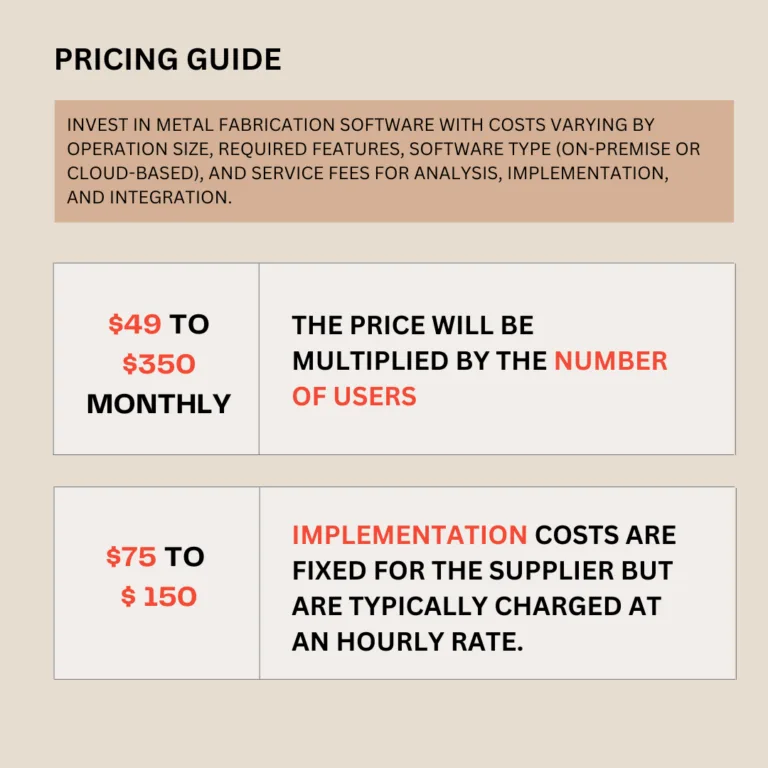
The default for small-mid cloud-native systems. Typical range: $49 to $350 per user per month. Vendors in this group include MRPeasy, Genius ERP, RealSTEEL, SYSPRO, JobBOSS², MIE Trak Pro, Statii, SecturaFAB.
The trap: cost scales linearly with headcount, which means the system gets more expensive exactly as you grow.
Cloud subscription, flat-rate or capped
The rarer model. The vendor either charges by company size band (EZIIL), by revenue and integration complexity (Fulcrum), by unlimited workstations (ProShop), or by all-inclusive annual fee (FabOps).
The advantage: cost predictability. A shop scaling from 25 to 75 staff in two years pays one step up on EZIIL Starter, from €180/$210 to €290/$338 per month once the team passes 50 users, instead of paying for every new hire.
On-premise license
The legacy model. Pay $10,000 to $100,000+ upfront. Plus 10% to 25% annual maintenance. Plus a hardware refresh every five to seven years. Vendors that still primarily sell on-premise: Tekla PowerFab, StruMIS, JobBOSS² (option), Global Shop Solutions (option), Construsteel, MIE Trak Pro (option).
The advantage: control. The disadvantage: total cost of ownership over five years is usually higher than the equivalent cloud subscription.
Implementation cost: the part nobody talks about
Implementation is the line buyers skip in vendor comparisons. It is usually where the surprise hits.
| Vendor | Implementation cost (as of October 2026) |
|---|---|
| EZIIL | €300/$350 one-off onboarding (bundled into the subscription start) |
| MRPeasy | Self-serve. No formal implementation fee. |
| FabOps | Bundled into the annual fee. |
| Statii | Bundled (light) |
| Fulcrum | One-time fixed implementation fee, quote-based |
| SecturaFAB | Light onboarding, included |
| JobBOSS² | From $5,000 |
| Genius ERP | From $15,000 |
| SYSPRO | $25,000 to $500,000 |
| RealSTEEL | $35,000 minimum |
| Tekla PowerFab | Quote-based, commonly $30,000+ |
| StruMIS | Quote-based, commonly $40,000+ |
| ProShop ERP | Quote-based, mid-tier |
| Construsteel | Quote-based |
| MIE Trak Pro | Quote-based |
| Global Shop Solutions | Quote-based, large upfront |
Industry-specific implementers cost $75 to $150 per hour. The cheaper rate of a generalist implementer almost always results in longer rollouts and a higher total cost.
A real total-cost example: 30-person fab shop, year one
For order-of-magnitude only. Not every vendor needs every employee as a licensed seat; office vs shop-floor licensing matters.
| Vendor | Year 1 software | Year 1 implementation | Approx total Year 1 |
|---|---|---|---|
| EZIIL Starter (16 to 50 users band; add-on modules priced separately) | €2,160/$2,520 (€180/$210 × 12) | €300/$350 one-off onboarding | ~€2,460/$2,870 |
| FabOps | $5,400 | bundled | ~$5,400 |
| Statii (15 office + 15 shop floor) | £10,170 (£130 + 14×£50 + 15×£6.50 per month, ×12) | bundled | ~£10,170 |
| MRPeasy Professional, 30 users | $24,840 ($69 × 30 × 12) | self-serve | ~$24,840 |
| JobBOSS² (30 users at ~$200/mo) | ~$72,000 | $5,000+ | ~$77,000+ |
| Fulcrum (mid-market) | ~$9,600 to $30,000+ | quote-based | ~$20,000 to $50,000+ |
| ProShop ERP | ~$6,000 to $9,000 | quote-based | ~$15,000 to $30,000 |
| SYSPRO (10 users min) | $18,000 | $25,000+ | $43,000+ |
| RealSTEEL (30 users) | $63,000 | $35,000 | $98,000 |
| Tekla PowerFab (mid-market quote) | $25,000 to $50,000 | $30,000 to $80,000 | $55,000 to $130,000 |
| Genius ERP (30 users) | Quote-based, per user (minimum 5 users) | $15,000+ | Quote-based |
The point of the table is not to win on price. It is to make total cost of ownership visible.
Implementation reality check (the Top reason shops do not switch)
Implementation fear is the single biggest reason shops stay on Excel longer than they should. ERP implementation research consistently finds scope creep, integration complexity, and change management drive average 18-month delays, and failed ERP projects cost organizations an average of $15 million in direct costs plus operational disruption (ERP Today industry survey). That is the enterprise figure. For a 30-person fab shop the dollar number is smaller but the relative pain is identical.
Five things go wrong in fab-shop ERP rollouts, almost without exception:
- The data is dirtier than anyone admitted. BOMs in three places, project status in someone’s head, material certificates in a paper folder. The clean-up takes longer than the system setup.
- The wrong person is the project owner. It needs to be the project manager or operations lead, not the office manager or the IT contractor. People who do not run shop-floor work cannot lead a fab-software rollout.
- Too much, too fast. Trying to turn on every module on day one overwhelms adoption. The shops that succeed start with the smallest useful slice and add modules in 60-day waves.
- The team that has to use it was not consulted. If the welders did not see the mobile app before go-live, they will not use it after.
- The vendor is a generalist. Implementing a fab-shop ERP with someone who has never been on a shop floor is the most expensive shortcut in this category.
Realistic timelines:
- Cloud-native, small shop, single module: 4 to 8 weeks.
- Cloud-native, mid-size shop, full modular ramp: 3 to 6 months across multiple module waves.
- Legacy on-premise, full implementation: 6 to 12 months.
For a deeper walkthrough see our piece on ERP implementation in a 25-person fab shop.
The questions every fabricator should ask in a vendor demo:
- “Walk me through how a 30-person shop with 10 active projects looks in your system after 30 days, 90 days, and 180 days.”
- “What is the most common reason your customers churn?”
- “Show me the mobile shop-floor app on a tablet.”
- “Show me what happens when a job slips by a week. How do the downstream projects react?”
- “What does the implementation team know about EN 1090 [or whatever standard applies to you]?”
Must-have features for a metal fabrication shop
Whatever you shortlist, check that it covers these basics:
- Project structure. Split each project into phases or lots with their own delivery dates.
- Planning by department. Start and end dates plus estimated hours, so everyone sees the same bottlenecks and you can promise deadlines you can keep.
- BOM management. Materials, assemblies, parts and quantities, with the drawings and the routing (bill of operations) attached.
- Procurement and inventory. Purchasing and stock levels in the same system as the projects.
- Shop-floor reporting. Workers report time against jobs, so you can see whether the plan still holds and where the bottleneck is.
- Progress overview. Every project’s real status on a timeline instead of a guess.
- Cost analysis. Profit or loss per project, so you can see which work pays.
Don’t switch everything on at once. Bringing in one area at a time is easier on the team than trying to change every process in one go.
All 16 tools at a glance
| Software | Best for | Starting price (as of October 2026) | Deployment | Fabrication-specific |
|---|---|---|---|---|
| EZIIL | Project-based custom fabricators, 15 to 150 staff | €120/$140 per month for 1 to 15 users, plus €300/$350 one-off onboarding | Cloud | Yes |
| Tekla PowerFab | Structural shops detailing in Tekla Structures | Quote-based; €10,000 to €50,000+ per year for mid-sized shops | Cloud or on-premise | Yes |
| StruMIS | Mid to large structural steel fabricators | Quote-based; year one commonly £15,000+ | On-premise or cloud | Yes |
| JobBOSS² | US job shops moving off Excel | Quote-based; from around $200 per user per month | Cloud or on-premise | No (generic job shop) |
| MIE Trak Pro | US custom manufacturers with mixed product lines | Quote-based; minimum 5 users | Cloud or on-premise | Partial |
| Genius ERP | Custom manufacturers with 50+ staff | Quote-based, per user; minimum 5 users | Cloud or on-premise | Partial |
| MRPeasy | Small generic manufacturers | $49 per user per month (as of October 2026); minimum 2 users | Cloud | No (generic MRP) |
| Fulcrum | High-mix US job shops | From around $800 per month | Cloud | Partial |
| ProShop ERP | US machine and fab shops | From around $500 to $715 per month | Cloud or on-premise | Partial |
| SYSPRO | Multi-industry mid-market businesses | $150 per user per month; minimum 10 users | Cloud or on-premise | No (generic ERP) |
| Global Shop Solutions | Buyers who want one big system | Quote-based | Cloud, SaaS or on-premise | Partial |
| Statii | Small UK make-to-order shops | Lite is free; MRP from £130 per month | Cloud | Yes (light) |
| ConstruSteel | European structural shops with BIM workflows | Quote-based | Cloud or on-premise | Yes |
| FabOps | Small to mid metal fab shops | From $5,400 per year | Cloud or on-premise | Yes |
| RealSTEEL | Steel service centers on Microsoft Dynamics 365 | From $175 per user per month; $35,000 minimum implementation | Cloud (Business Central) | Yes |
| SecturaFAB | A dedicated quoting layer | Under $200 per user per month | Cloud | Yes (quoting only) |
Bottom line
Pick the system that fits how your shop works and how big it is. Shortlist two or three tools from the table above, then ask each vendor to walk through one of your real jobs in the demo. Start with the smallest useful part, such as scheduling and shop-floor reporting, and add more once the team uses it every day. To see what that looks like in practice, read our customer stories.
Frequently asked questions about metal fabrication software
What is the best metal fabrication software in 2026?
There is no single best. For project-based custom fabricators with 15 to 150 staff, EZIIL is the strongest fit thanks to cloud-native architecture, flat-rate pricing, modularity, and EN 1090 traceability. Heavy structural steel shops detailing in Tekla Structures should look at Tekla PowerFab or StruMIS. US job shops moving off Excel typically shortlist JobBOSS, ProShop ERP, MIE Trak Pro, or Fulcrum. Small UK shops often choose Statii. Steel service centers on Microsoft Dynamics use RealSTEEL.
What is metal fabrication ERP, and how is it different from metal fabrication MRP?
Metal fabrication ERP (also written as ERP software for metal fabrication, or metal fabrication ERP software) is enterprise resource planning software built for, or adapted to, custom and project-based fabrication shops. MRP (Material Requirements Planning) plans materials, inventory, and work-in-progress. ERP is the same thing with general-ledger finance baked in. In practice, most modern cloud fabrication software covers both. The distinction matters less in 2026 than it did ten years ago. The strongest dedicated metal fabrication ERP options in 2026 are EZIIL, Tekla PowerFab, StruMIS, JobBOSS, and Genius ERP.
How much does metal fabrication software cost?
Range checked October 2026. Cloud per-user subscriptions: 49 to 350 USD per user per month. Flat-rate cloud: 120 to 1,000+ EUR per month depending on company size and vendor. On-premise licenses: 10,000 to 100,000+ USD upfront plus 10 to 25 percent annual maintenance. Implementation: bundled to small at the cloud end (350 to 5,000 USD) and substantial at the enterprise end (25,000 to 500,000 USD). A 30-person shop spending 5,000 to 40,000 USD in year one is normal.
Which metal fabrication software is best for a small shop under 25 people?
For project-based metal fab shops under 25 staff, the best fits are EZIIL (cloud, modular, flat-rate, €120/$140 per month for 1 to 15 users), Statii (UK, 130 GBP base), or FabOps (5,400 USD per year all-inclusive). MRPeasy can work for very small generic shops but starts to feel thin once you have EN 1090 work, multiple vendors, or more than 10 office users. Avoid Tekla PowerFab, StruMIS, Global Shop Solutions, Genius ERP, and RealSTEEL at this size; their pricing and implementation overhead is wrong for you.
Which metal fabrication software is best for EN 1090 EXC3 or EX4 compliance?
The shortlist for EN 1090 EXC3 and EX4 work is EZIIL (offers an EN 1090-2 compliance module), Tekla PowerFab, StruMIS, and Construsteel. B&W Metall (76 staff, 100 tons per week of EN 1090 EXC3 steel) and FLI Structures (70 staff, EN 1090 EXC4 and Fit 4 Nuclear status) run on EZIIL. PowerFab and StruMIS are the heavyweight options for shops larger than 100 staff.
Can I integrate metal fabrication software with Tekla Structures, Inventor, or SolidWorks?
Yes, but coverage varies. Tekla PowerFab has the deepest native integration with Tekla Structures. Genius ERP has CAD2BOM, which auto-imports Inventor and SolidWorks models. Fulcrum integrates with SolidWorks and Fusion 360. EZIIL imports IFC models and accepts CAD-driven BOM uploads. SecturaFAB ingests CAD for quoting. Always confirm bidirectionality (push back to CAD vs read-only) with the vendor during demo. For BOM-focused tools specifically, see our BOM software comparison.
How long does metal fabrication software take to implement?
Realistic ranges, verified October 2026. Cloud-native, small shop, single module: 4 to 8 weeks. Cloud-native, mid-size shop, full modular ramp: 3 to 6 months across multiple waves. Legacy on-premise, full implementation: 6 to 12 months. Generic-implementer rollouts run longer than industry-specific ones. EZIIL onboarding is a one-off €300/$350 fee, and you can go live in under a week, starting with one module.
Is metal fabrication software worth it for a 20-person shop?
Almost always yes, but only with the right vendor. The financial case is straightforward: at 20 people, even one missed delivery date or one 10 percent margin loss on a 50,000 USD project pays for a full year of EZIIL, Statii, or FabOps. The reason 20-person shops stay on Excel is implementation fear, not math. Cap the rollout at the smallest useful slice (scheduling, capacity planning, mobile time capture) and add modules in 60-day waves after.
What replaced FabTrol after it was discontinued in 2022?
FabTrol was discontinued by AVEVA in June 2022. Existing licenses still run, but receive no updates or security patches. Migration paths vary by shop size. Small to mid project-based shops typically move to EZIIL. Large structural shops move to StruMIS, Tekla PowerFab, or RealSTEEL. ProShop ERP is the common landing spot for US machine and fab shops. Data export typically takes 2 to 4 weeks. More detail: FabTrol MRP status and alternatives.
Can metal fabrication software handle engineer-to-order (ETO) work?
Yes, but generic MRP systems handle it badly. ETO work means every job goes through engineering before the shop floor, with bursty engineering time that flattens scheduling assumptions. Fabrication-specific systems (EZIIL, Tekla PowerFab, StruMIS, Genius ERP for CAD-driven ETO) handle this pattern. MRPeasy, Katana, Fishbowl, and other generic MRPs struggle.
Does metal fabrication software include nesting?
Varies. StruMIS, Tekla PowerFab, SYSPRO, FabOps, and Construsteel include nesting modules. EZIIL, JobBOSS, MIE Trak Pro, MRPeasy, ProShop ERP, Statii, and Fulcrum do not natively nest; they integrate with ProNest, SigmaNest, or Lantek. If nesting is your hardest problem, pick a system that includes it or that exports cleanly to your existing nesting tool. See our comparison of the best nesting software for laser and plasma cutting.
Which metal fabrication software is cloud-based and works without on-premise servers?
Cloud-native (no on-premise burden): EZIIL, MRPeasy, Fulcrum, FabOps, RealSTEEL, Statii, SecturaFAB. Cloud-optional (you can also run on-premise if you prefer): Tekla PowerFab, StruMIS, JobBOSS, MIE Trak Pro, Genius ERP, SYSPRO, ProShop ERP, Construsteel, Global Shop Solutions.
What is the best metal fabrication software for real-time project profit tracking?
For live planned-vs-actual project profit tracking, the strongest fits are EZIIL (planned-vs-reality dashboard is a Starter feature), Fulcrum, ProShop ERP, and Tekla PowerFab. The key feature to ask for in a demo: a project-level cost view that updates as shop-floor time and material consumption hit the system, not retrospective accounting after the project closes.
Which metal fabrication software offers flat-rate pricing instead of per-user pricing?
Flat-rate or non-per-user pricing in this category in 2026: EZIIL (flat by team-size band), Fulcrum (by company size and integration complexity), ProShop ERP (unlimited workstations once licensed), FabOps (all-inclusive annual fee). Everything else in this category charges per user.
What software do welders and metal fabricators use?
Most fab shops run three or four kinds of software side by side. Design and detailing tools such as SolidWorks, Autodesk Inventor or Fusion, Tekla Structures and SDS2 produce the models and drawings. Nesting and CAM tools such as SigmaNEST, ProNest and Lantek plan the cutting. A production management system such as EZIIL, JobBOSS², ProShop ERP, StruMIS or Tekla PowerFab schedules, tracks and costs the jobs. Accounting usually runs in QuickBooks, Xero or similar. Welders on the floor mostly touch only the production system, through a tablet or phone, to log time against a job and open drawings and work instructions.
What is the best ERP system for the metal fabrication industry?
It depends on shop size and the type of work. Project-based custom fabricators with 15 to 150 staff get the best fit from a fabrication-specific system with flat-rate pricing, such as EZIIL. Large structural shops already detailing in Tekla tend to choose Tekla PowerFab or StruMIS. US job shops making repeat parts usually shortlist JobBOSS², ProShop ERP or MIE Trak Pro. Generic ERPs such as NetSuite, Odoo or Acumatica can work, but they need heavy configuration for fabrication. Our metal fabrication ERP guide covers when an ERP is worth it.
What is the difference between metal fabrication software and CAD software?
CAD software (SolidWorks, Inventor, Fusion, Tekla Structures) designs the part or structure and produces the drawings and 3D model. Metal fabrication software, in the sense this guide uses, takes over once the drawing is done: it turns the model or BOM into jobs, schedules them across people and machines, orders material, tracks progress on the shop floor and costs each job. Most shops need both, connected through a BOM or IFC import.
Ready to see EZIIL in action?
The shortest path to knowing whether EZIIL fits your shop:
- Take a free tour to see the Master View, capacity planning and the mobile shop-floor app on your own time.
- Book a 30-minute demo and walk through your specific production scenario with team EZIIL’s experts. Bring a real project and we’ll model it.
If the right system for you turns out to be Tekla PowerFab, StruMIS, ProShop ERP, JobBOSS², or anything else on this list, that is also a good outcome. The worst outcome is staying on Excel for another year.
How this guide was built
This guide synthesized:
- 491 anonymized queries to map how fabrication buyers query for software recommendations.
- EZIIL’s internal data based on customers and conversations with custom steel fabricators in the US, the UK, Europe and Australia (sample size 137 individuals).
- Reviewer feedback from Capterra, G2, TrustRadius, SoftwareConnect, GetApp, Top10ERP, ITQlick, and SourceForge for each of the 16 vendors covered.
- Industry benchmarks and statistics from The Fabricator’s 2026 metal fabrication forecast, the Deloitte 2026 Manufacturing Industry Outlook, Verified Market Research, and the FMA Financial Ratios & Operational Benchmarking Survey series (FMA).
Last reviewed: October 2026. Next review: January 2027.